

Able Optimizer
AI Video Editor
4.0
/5
Toolio reviewer
Able Optimizer simplifies complex video and photo enhancements with AI. Perfect for creators looking to boost their productivity.
HONEST REVIEWS. REAL EXPERIENCE.
Find the tool, and find out what it is bad at
Every tool is opened and used by a Toolio reviewer, who scores it and writes the honest pros, cons and a clear verdict. No hype, no fluff.
Tick Compare on any two to four cards to put them side by side.
Able Optimizer simplifies complex video and photo enhancements with AI. Perfect for creators looking to boost their productivity.
AdsDog helps protect your site, but may take time to implement fully.
Adventr creates interactive media with AI.
Generate stunning AI videos in seconds.
Create stunning animations with unlimited free daily videos.
A Chinese-language directory of more than 3,000 AI tools alongside listings for global AI competitions.
Create viral video ads in minutes without hiring actors. Best for creators on a budget; not ideal for detailed animations.
AI Video lets you generate music visuals, scripts to videos, and more all within its platform.
Turns a written prompt into a finished video, with room to adjust length, style and pacing.
AI video creation with avatars and translations.
Create animated videos in minutes.
AnvSoft offers AI-driven video and photo enhancement tools.
AI-powered video solutions for business.
Upscale and enhance videos to high definition with AI magic, but lacks detail in long-form content.
Generate and analyze content with AI APIs on a single subscription. Good for steady mid-volume apps.
Arold offers AI-powered responses but requires customization.
60+ AI tools in one platform, replace Runway and Midjourney.
Artlist for creative professionals with precise control over AI tools.
AutoCut is an AI video editing plugin for Premiere Pro and DaVinci Resolve, automating repetitive tasks like silencing and captioning.
Automate repetitive editing tasks and save hundreds of hours.
For creators with large channels, Autodraft excels in generating AI animations but may not be cost-effective for smaller accounts.
Automatically edit video podcasts and shows.
For clear video and photo enhancements, not bulk processing.
It's great for musicians needing professional visuals but may not suit those preferring simpler tools.
BasedLabs generates AI images and videos. Create viral TikToks.
Easily control and edit videos. Not ideal for advanced editing tasks.
BlendAI helps creators run workflows, but lacks extensive customization options.
Give every person on your team an AI workforce.
Generate AI dubbing and thumbnails.
AI turns text into videos.
AI creates subtitles quickly and in many languages.
AI that edits like a professional editor would.
Upload a video, AI does most of editing work, but lacks precision for fine-tuned details.
Get free clips or upload a file.
CinePacks offers high-quality effects for film editors but lacks affordability.
ClipMove creates viral videos in minutes. Generates AI-driven content quickly.
Create viral videos fast with AI.
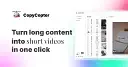
Converts long videos into clips with Python code.
Clips To Videos allows converting video clips into complete videos but can be complex for beginners.
Clipto stores your media locally, but may not be as cost-effective for large teams.
Routes USDC across chains instantly.
Crano AI generates videos and images in minutes, but only supports basic text prompts.
Turn your ideas into videos with AI.
CurseCut removes profanity from video and audio automatically using AI. It may not work on rare dialects or heavily mumbled speech.
AI video editor that prepares footage for quick refinement.
Suits visual thinkers, not those with complex data needs.
Assembles avatar-led videos from templates, then lets you edit captions, branding and scenes in one studio.
DeepShot AI translates and enhances video content with AI.
Three worth starting with
Terms to know
AI video editors automate the slow parts of editing: removing silences, adding captions, finding scenes, summarising footage and fixing audio. YouTubers, marketers and training teams use Crano AI, NemoVideo and Vidofy AI to shorten their editing time. They work on footage you already have, unlike generators. The question to ask is how much manual control remains once the automatic edit is done.
It can make a rough cut by trimming pauses, adding captions and matching clips to a script. A good finish still needs human choices on pacing, story and sound. Expect to adjust the automatic edit rather than publish it untouched.
An editor works on footage you supply, cutting, captioning and polishing it. A generator invents new footage from text or images. Choose an editor for recordings you have and a generator when you need scenes that do not exist.
Many handle long recordings, but processing time and file limits vary. Check the maximum length and resolution, and test a short sample first. Captions in non-English languages may need an extra review for errors.

.webp)

.webp)

























.webp)