
Galactex Chrome Extension
Adds LLM-powered autocomplete to Overleaf, using a server you host yourself.
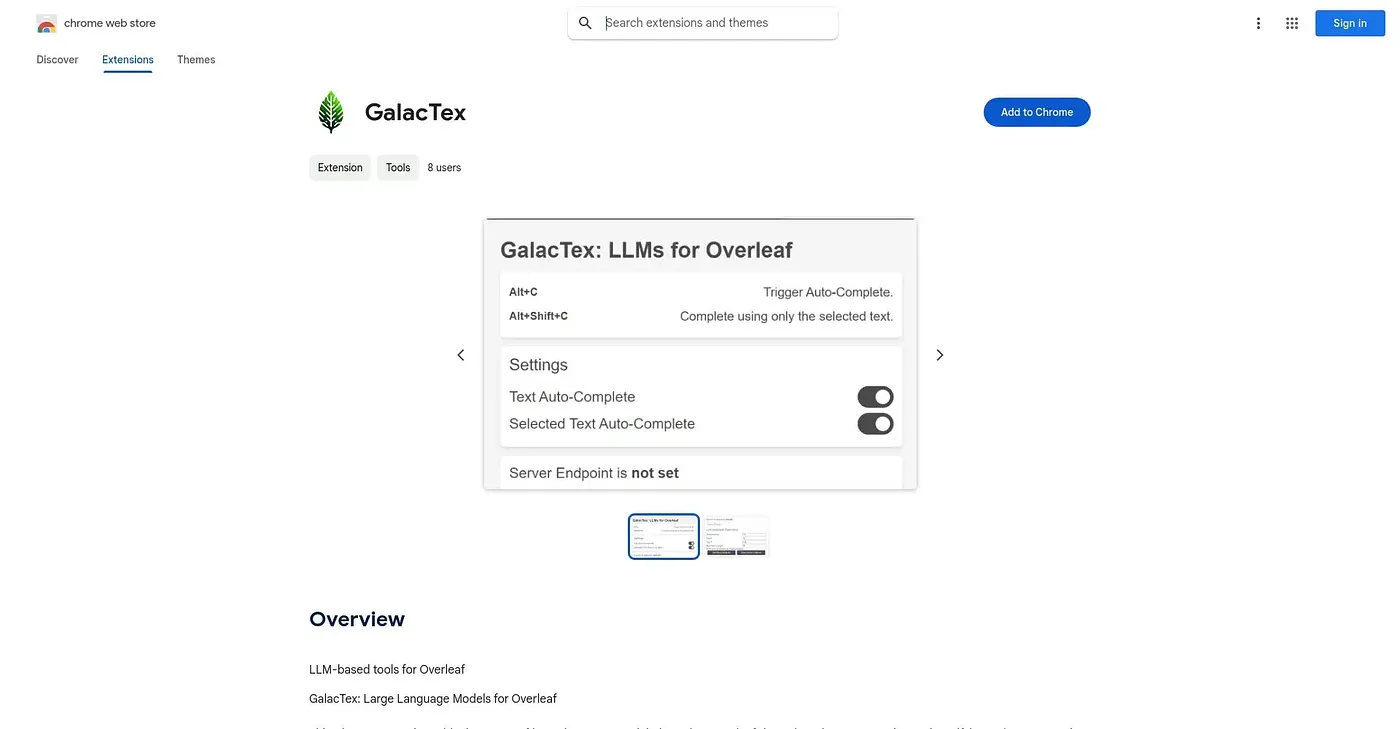
At a glance
Starts at
Free
No paid plan found on the Chrome Web Store, September 2026.
Free tier
Yes
Platforms
Chrome
Best for
LaTeX writers comfortable running a self-hosted LLM server
Not for
Anyone wanting a ready-to-use hosted service
3.9 out of 5
Scored by Alex after real useOur verdict
GalacTex brings large-language-model autocomplete into Overleaf, triggered with a keyboard shortcut or by selecting text as a prompt. It doesn't come with a hosted backend; you need to set up and run the Galactica server yourself before the extension does anything. It's open source, version 0.1.0, with no ratings yet, and configuration and generation settings are all handled from the toolbar popup.
✓What it does well
Overleaf-native autocompleteAutocomplete triggers directly inside Overleaf with a simple keyboard shortcut.
Selection-based promptingSelected text can be used directly as the prompt for generation.
Local, private configSettings are saved locally and the plugin's authors collect no user data.
✕Where it falls short
Self-hosted server requiredIt only works once you set up and run a separate LLM server yourself.
No ratings yetThere are no user ratings on record for this early-stage extension.
Early, experimental releaseAt version 0.1.0, it is not a polished, finished tool yet.
Key features
Keyboard autocompleteAlt+C triggers autocomplete directly while writing in Overleaf.
Selection-to-promptAlt+Shift+C sends your selected text as the generation prompt.
Configurable generationGeneration parameters can be tuned from the extension's popup.
Tool togglesIndividual tools can be enabled or disabled from the same popup.