
GPT Code Forge, Chrome Extension
Converts ChatGPT code blocks instantly.
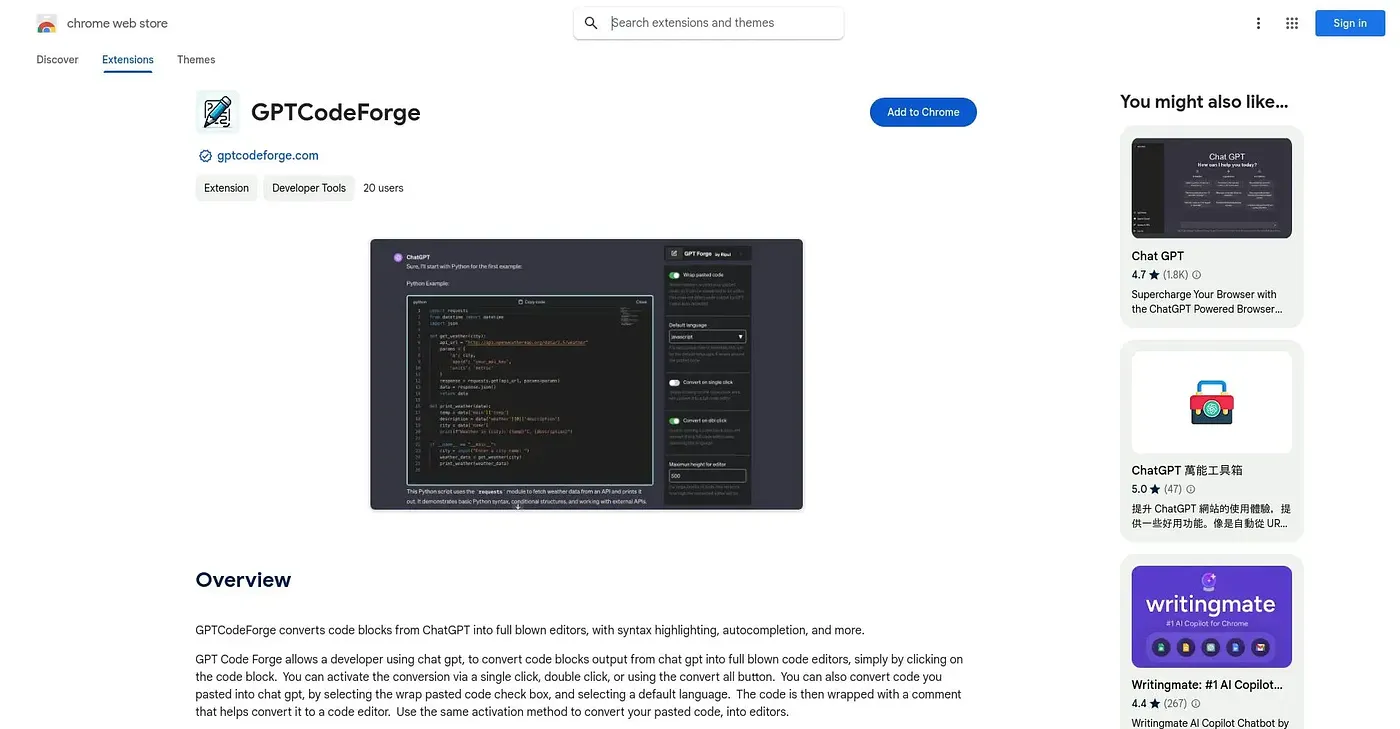
At a glance
3.9 out of 5
Scored by Alex after real useOur verdict
Converts GPT-generated code into editors, but lacks advanced debugging features.
✓What it does well
✕Where it falls short
Key features
Questions about GPT Code Forge, Chrome Extension
What does GPT Code Forge, Chrome Extension do?
GPT Code Forge converts code blocks generated by ChatGPT into editors, with syntax highlighting for readability and autocompletion as the user types. Conversion works by clicking or pasting text, and it can be triggered with a single click, a double click or a convert all button.
Is GPT Code Forge, Chrome Extension free to use?
GPT Code Forge starts at $0 with a free plan available. Toolio found no paid plan on the Chrome Web Store as of September 2026, and lists the tool as best for developers who use ChatGPT.
Can you set a default language in GPT Code Forge, Chrome Extension?
Yes. GPT Code Forge lets users pick a default coding language, and its customization settings also cover how comments are wrapped. Combined with syntax highlighting and autocompletion, this suits developers who regularly move ChatGPT output into an editor.
What are the limits of GPT Code Forge, Chrome Extension?
The reviewer notes that GPT Code Forge lacks advanced debugging features and cannot manage code files in a project structure. It also does not work well on smaller screens or devices. Toolio says it is not for project managers who need code organization.
How does Toolio score GPT Code Forge, Chrome Extension?
Alex scored GPT Code Forge 3.9 out of 5 after real use, on 5 Oct 2026. The verdict credits it with converting GPT-generated code into editors but points to the missing advanced debugging features. It has been listed on Toolio since September 2024.