
Prompt Support Chrome Extension
Walks you through building a ChatGPT prompt piece by piece, from task and tone to format and examples.
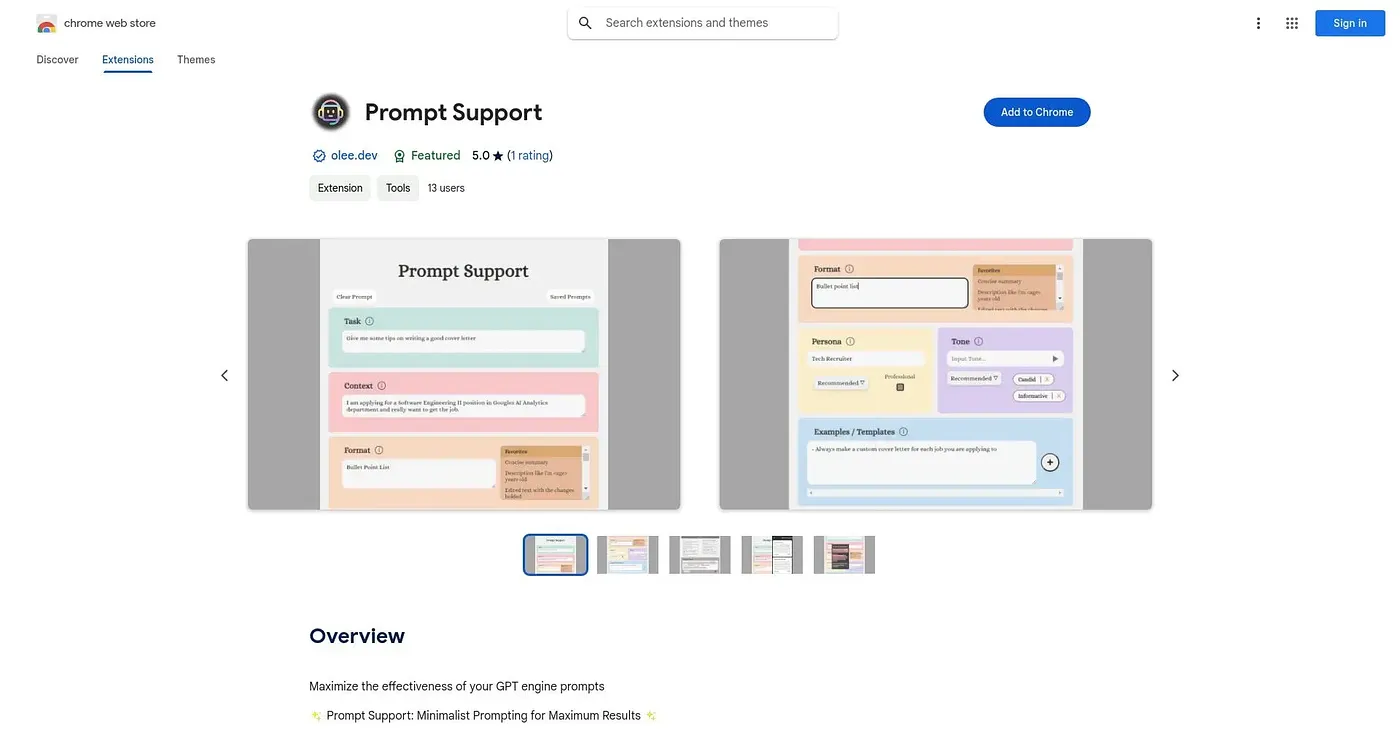
At a glance
Starts at
Free
No paid plan found on the Chrome Web Store, September 2026.
Free tier
Yes
Platforms
Chrome
Best for
Casual users unfamiliar with prompt engineering
Not for
Anyone already comfortable writing detailed prompts
3.9 out of 5
Scored by a Toolio reviewer after real useOur verdict
Prompt Support breaks a prompt down into its core parts - task, context, format, tone, persona, and examples - and gives point-and-click suggestions for each one, so you don't need to know prompt engineering to get a well-structured request. Prompts you build can be saved and copied for reuse rather than rebuilt each time. It carries just one rating so far, and its guided, component-based approach is more useful to someone new to prompting than someone who already writes detailed prompts by hand.
✓What it does well
Structured prompt buildingIt breaks prompts into task, context, format, tone, persona, and examples.
Point-and-click suggestionsYou pick from suggested phrases instead of writing every component from scratch.
Save and reuse promptsCrafted prompts save for later use or quick copying.
✕Where it falls short
Thin rating historyIt has only one public rating, not much of a track record yet.
Guided, not advancedIt's built for beginners, not someone already skilled at writing detailed prompts.
English-only listingThe extension is only available in English, without other languages listed.
Key features
Component-based promptingPrompts build from task, context, format, tone, persona, and examples.
Point-and-click recommendationsA list of common capabilities offers suggestions with a click.
Prompt save & retrievePrompts can be saved and copied to your clipboard for reuse.
Inline prompting tipsHovering over each component shows tips for better results.