
Promptly for ChatGPT
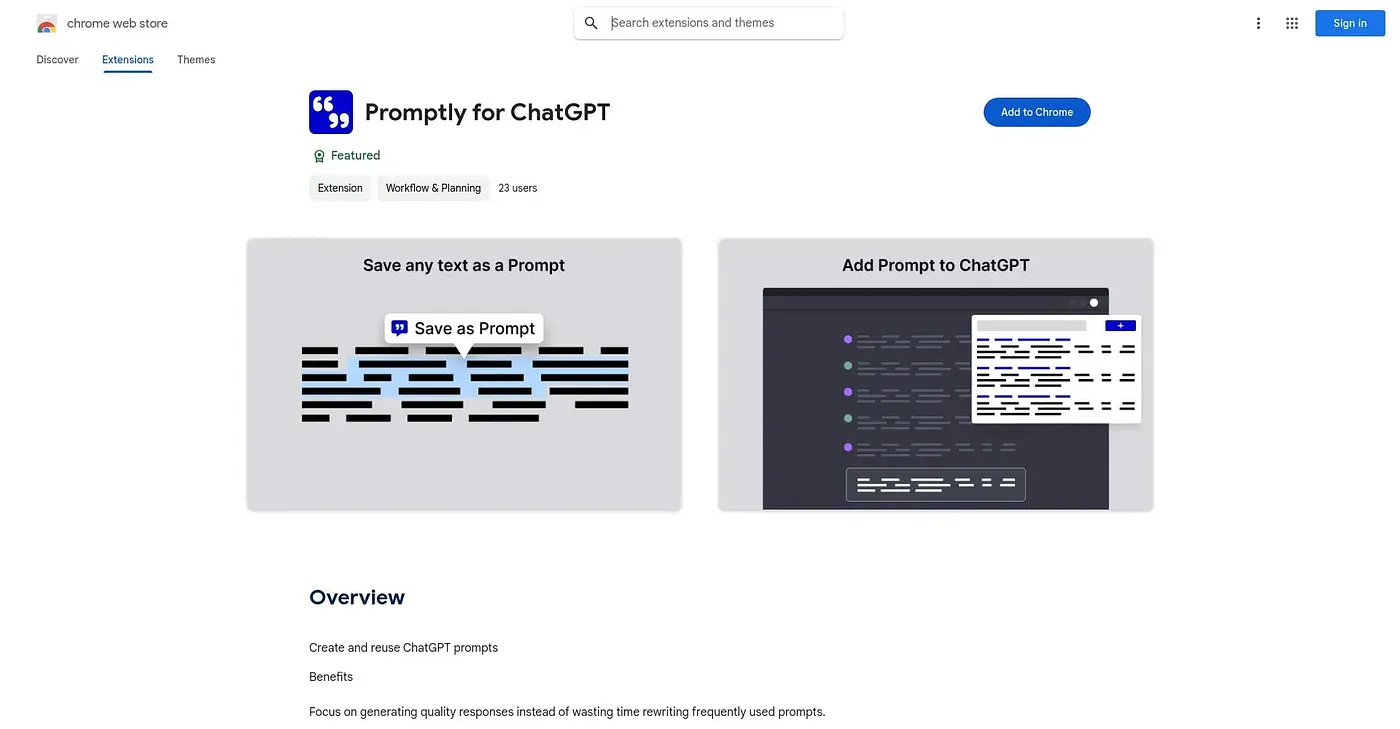
Right-click any text to save it as a reusable ChatGPT prompt, then insert it back with a click.
At a glance
Starts at
Free
No paid plan found on the Chrome Web Store, September 2026.
Free tier
Yes
Platforms
Chrome
Best for
People reusing the same ChatGPT prompts often
Not for
Anyone wanting tags or folder-based organization
3.9 out of 5
Scored by Alex after real useOur verdict
Promptly for ChatGPT lets you right-click up to 10,000 characters of selected text and save it directly as a reusable prompt, or build one from scratch, then insert it back into ChatGPT with a click. The whole prompt collection exports as a JSON file for backup or sharing. It's a small, single-developer tool with just one rating so far, and it skips more advanced organization features like tags or folders in favor of a simple flat list.
✓What it does well
Right-click prompt savingSelected text saves directly as a reusable prompt with a right-click.
One-click insertionSaved prompts insert back into ChatGPT with a single click.
JSON export for backupThe full prompt collection exports as a JSON file for backup or sharing.
✕Where it falls short
No tags or foldersPrompts save as a flat list, without tags or folders for organization.
Thin rating historyIt has only one public rating, not much of a track record.
Character limit on savesRight-click saving is limited to 10,000 characters of selected text.
Key features
Right-click prompt captureSelected text saves as a prompt directly through the right-click menu.
One-click insertionSaved prompts insert into ChatGPT with a single click.
Prompt editingSaved prompts can be edited and reused rather than recreated each time.
JSON backup exportAll prompts export together as a JSON file for backup or sharing.