
Tranquil Tasker Chrome Extension
A minimalist to-do extension that splits today's tasks from a backlog and limits you to one starred priority.
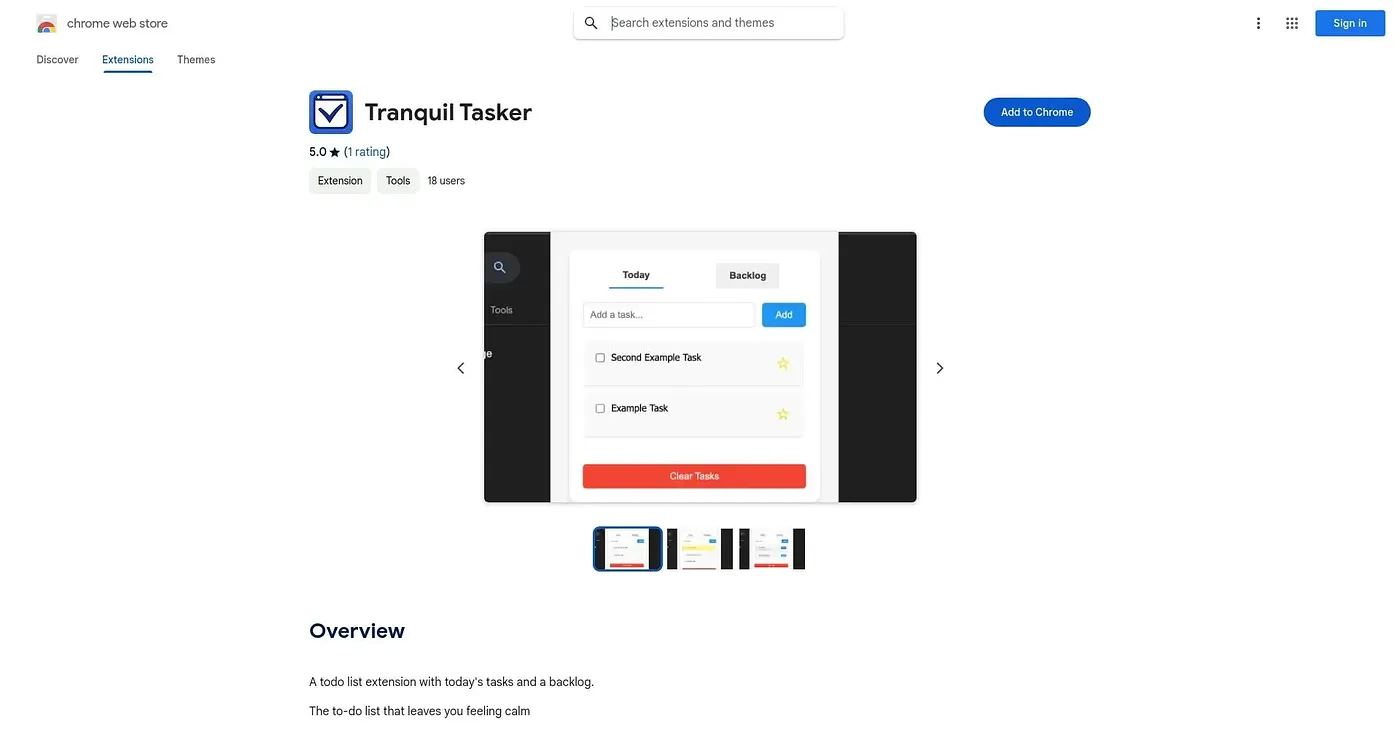
At a glance
3.9 out of 5
Scored by Alex after real useOur verdict
Tranquil Tasker keeps things deliberately narrow: a tab for today's tasks, a separate backlog for everything else, and one button that clears the day's list, completed or not, to force fresh starts. Only a single task can be starred as the day's priority, which works well for people who find flexible to-do apps overwhelming. Anyone who wants project structure, subtasks, or the ability to remove one item without wiping the rest will find it too bare-bones.
✓What it does well
✕Where it falls short
Key features
Questions about Tranquil Tasker Chrome Extension
What is Tranquil Tasker Chrome Extension?
Tranquil Tasker Chrome Extension is a minimalist to-do list that keeps today's tasks in one tab and a backlog of future ideas in another. One button clears the day's list for a fresh start, and backlog ideas are kept even when today's list is full.
Is Tranquil Tasker Chrome Extension free?
Yes. Tranquil Tasker Chrome Extension is free, and no paid plan was found on the Chrome Web Store in September 2026. It runs in Chrome only, with no other browser or mobile version noted.
Can you delete a single task in Tranquil Tasker Chrome Extension?
No. Clearing today's list is the only way to remove tasks in Tranquil Tasker, and it wipes both completed and pending items at once. The reviewer says anyone who wants to remove one item without wiping the rest will find it too bare-bones.
Who is Tranquil Tasker Chrome Extension for?
Tranquil Tasker suits people who want a deliberately simple daily list, especially those who find flexible to-do apps overwhelming. Users needing subtasks, project structure or single-task deletion are better served elsewhere. Alex scored it 3.9 out of 5 after real use.
Can you star more than one task in Tranquil Tasker Chrome Extension?
No. Tranquil Tasker allows only one starred task at a time, with no way to flag several. The reviewer sees this as a way to force a clear daily priority instead of several, though it is also listed among the tool's limits.