Pic Pic AI
Pic Pic AI suits casual editors but may disappoint professionals.
At a glance
4.0 out of 5
Scored by Alex after real useOur verdict
Pic Pic AI offers simple enhancements and deletions for free. However, it may not meet the needs of professional photographers or those requiring advanced features.
✓What it does well
✕Where it falls short
Key features
Questions about Pic Pic AI
Is Pic Pic AI free?
Pic Pic AI has a limited free tier, and the reviewer notes it offers simple enhancements and deletions for free. Paid use starts at $5 per month, the price the vendor published in September 2026. Some image generation and enhancement functions cost extra credits.
What does Pic Pic AI do?
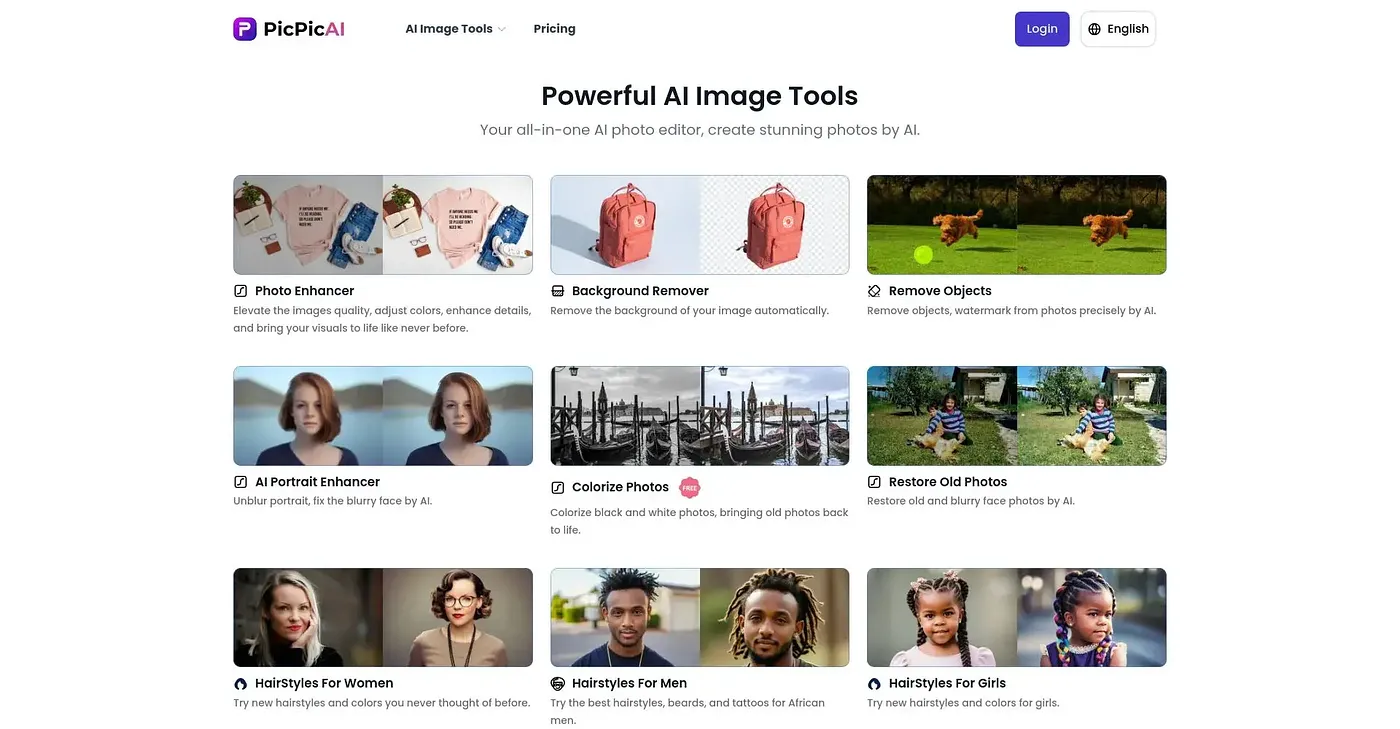
Pic Pic AI is a web-based photo editor built around AI tools. It enhances the quality, color and detail of photos, removes backgrounds for e-commerce or social media use, edits portraits, and generates anime-style images while doubling their size. The reviewer describes it as easy to use for basic editing tasks.
Who should use Pic Pic AI?
Pic Pic AI suits casual photo editors and beginners who want quick enhancements through a user-friendly interface. It is not meant for professionals needing advanced customization, and the reviewer says it may not meet the needs of professional photographers or anyone requiring advanced features.
Can Pic Pic AI handle large batches of photos?
Not well, according to the reviewer. Pic Pic AI may be slow when dealing with large batches of images or high-resolution photos. It also lacks professional-grade tools and extensive customization options, so the reviewer sees it as a better fit for casual editors than for professionals.
What are some alternatives to Pic Pic AI?
Toolio lists NANO BANANA, an AI image editor focused on character consistency, AI Video Face Swap for swapping faces in videos, Photobooth AI for creating an online photobooth with AI styles, and Erasio, which removes watermarks without signup. Pic Pic AI itself holds a Toolio score of 4.0 out of 5.