
Roten.X DevTool Chrome Extension
Turns long YouTube lectures into organized notes, bookmarks and screenshots you can question with AI.
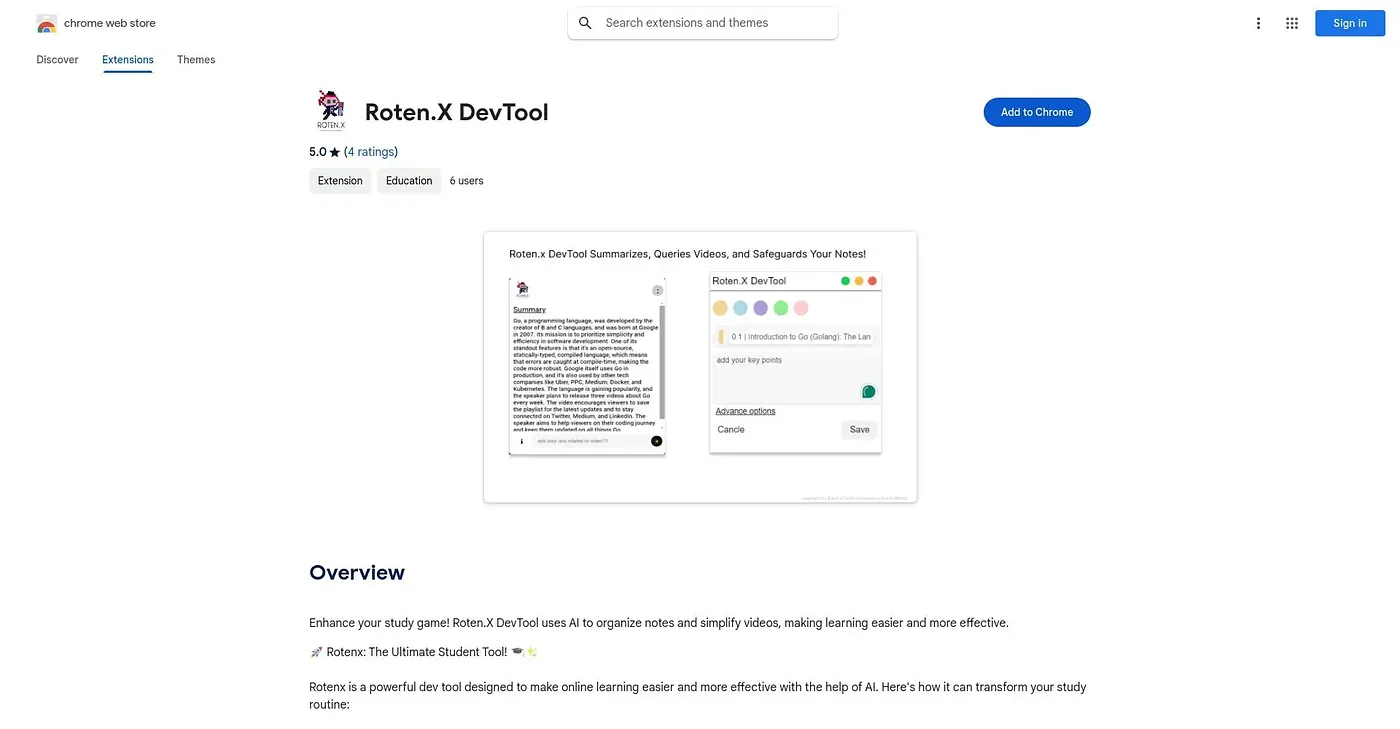
At a glance
Starts at
Free
No paid plan found on the Chrome Web Store, September 2026.
Free tier
Yes
Platforms
Chrome
Best for
Students taking notes from video lectures online
Not for
Anyone wanting a general-purpose video editor
5.0 out of 5
Scored by Alex after real useOur verdict
Rotenx watches YouTube lectures alongside you, generating notes, letting you bookmark key moments, and answering follow-up questions about the video's content using AI. It also captures and lets you annotate screenshots, and highlights important points in blog posts, keeping everything in one organized place. It's built specifically around studying video and blog content rather than editing or producing video yourself.
✓What it does well
Automatic video notesGenerates notes from YouTube lectures as you watch.
AI video Q&AAnswers questions about a video's content directly using AI.
Centralized study notesKeeps notes, screenshots and highlights together in one place.
✕Where it falls short
Not a video editorIs not a video editor, focusing instead on note-taking and comprehension.
YouTube-centricBuilt mainly around only YouTube lectures rather than other video sources.
Chrome onlyOnly available as a Chrome extension, not other browsers.
Key features
Note-taking from videoCaptures comprehensive notes automatically from YouTube lectures.
BookmarkingMarks and saves important moments within a video.
Screenshot captureTakes and annotates screenshots of important video frames.
Blog highlightingHighlights and saves key points found in blog posts.