
Shortwave
Automate your email with just a prompt.
At a glance
4.0 out of 5
Scored by Alex after real useOur verdict
Shortwave automates inbox management, scheduling, and writing emails using AI. It’s great for teams but falls short without complex integrations or extensive usage limits.
✓What it does well
✕Where it falls short
Key features
Questions about Shortwave
What does Shortwave do?
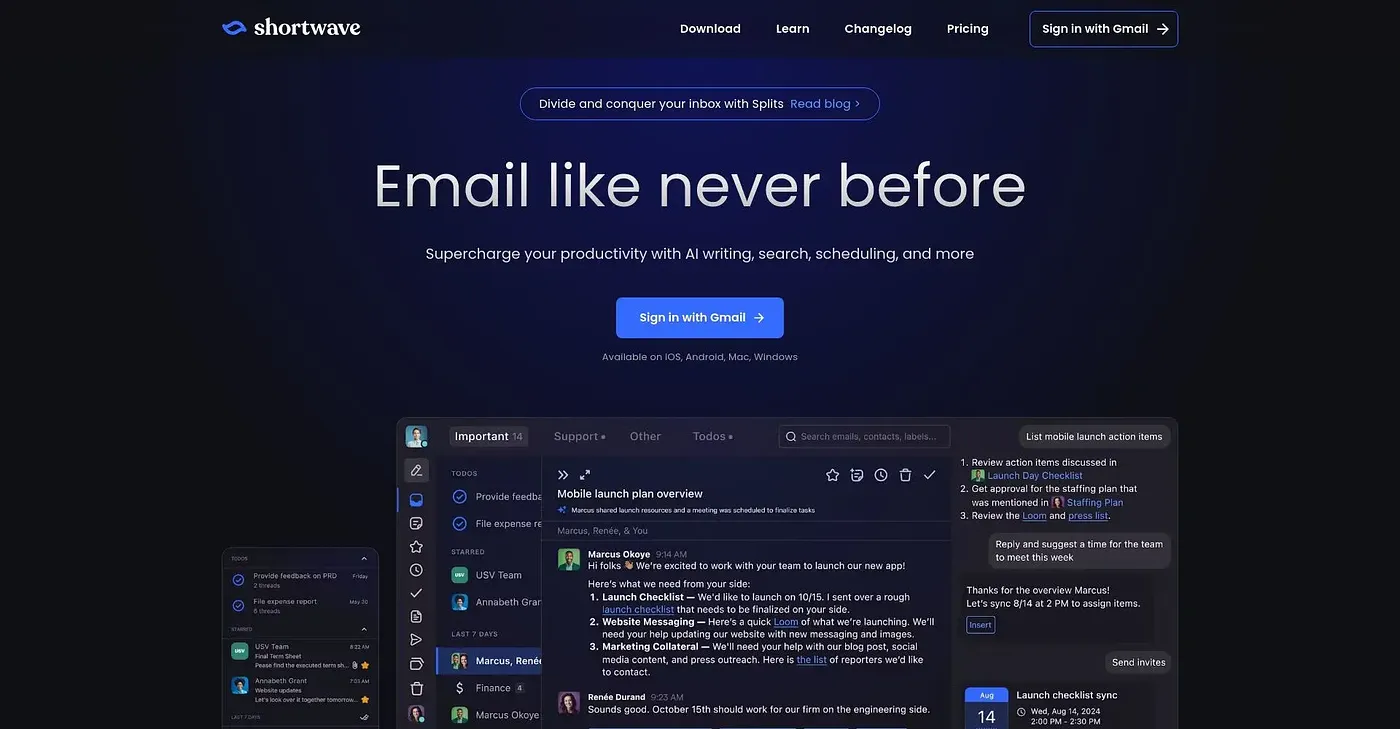
Shortwave automates inbox management, scheduling and email writing with AI, and the vendor sums it up as automating email with just a prompt. It offers AI-powered search across email, custom filters written in plain English, and live shared threads and comments for team communication.
How much does Shortwave cost?
Shortwave starts at $30 per seat per month for the Business Individual plan. Premier Advanced costs $45 per seat per month and Max Expert costs $120 per seat per month, and there is no free tier.
Does Shortwave integrate with Slack and Notion?
Yes. Shortwave automates workflows through integrations with Slack, Calendar and Notion, and its Shortwave Agent can check availability and create scheduling emails. The reviewer still feels it falls short for users who need complex integrations.
Which platforms does Shortwave run on?
Shortwave is available on the web, iOS, Android, and Mac and Windows. Toolio lists it as best for ambitious teams and individuals, and not for individual users with simple needs, and scores it 4.0 out of 5 after real use by Alex.
What are the limitations of Shortwave?
Plan intelligence levels restrict how complex a request Shortwave can process efficiently, and the reviewer notes that expert-level AI and higher thread limits require a Premier plan. The reviewer also says it falls short for anyone needing extensive usage limits.