How to Choose an AI Video Editor in 2026: 7 Things to Check Before You Commit
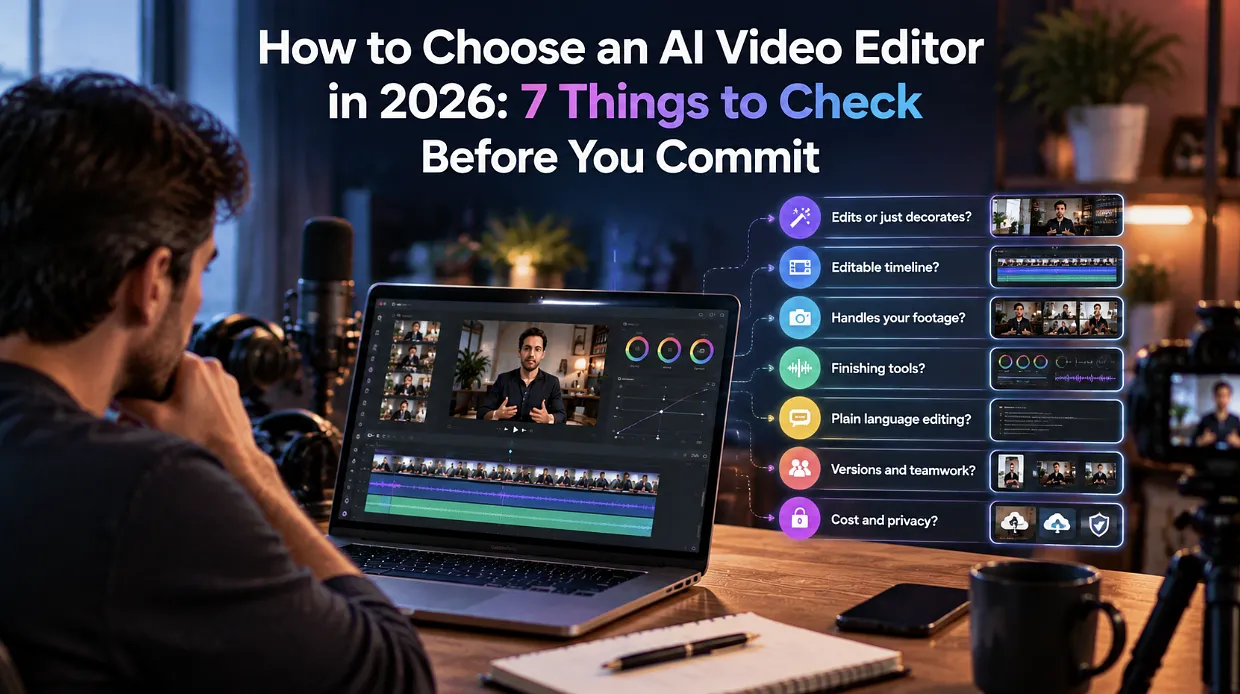
Two years ago, "AI video editor" mostly meant a button that added captions. Today the label covers everything from one-click template makers to editors, where AI agents review your footage and assemble a first cut. Same name, very different products. That makes choosing one harder than it looks. A wrong pick costs you more than the subscription. It costs the hours you spend learning it, the projects you build inside it, and the frustration of finding out in week three that it cannot handle your footage. This guide gives you seven things to check before you commit so you can judge an editor on how it works instead of how it is advertised.
What an AI Video Editor Actually Does
Before the checklist, a quick definition. An AI video editor uses machine learning to take over parts of the editing process that used to be manual. Depending on the product, that can include transcribing speech, finding good takes, removing silences and filler, arranging clips into a rough sequence, cleaning up audio, adjusting color, and producing different versions of the same video.
The important split is between editors that apply a fixed effect and editors that work with the content of your footage. The first kind changes how things look. The second kind helps decide what stays in the video. Most of the checks below are about figuring out which kind you are looking at.
1. Does It Edit or Just Decorate?
Look past the feature list and ask what the AI is actually doing. Auto-captions, filters, and background music suggestions are handy, but they do not reduce the hard part of editing, which is sorting through raw footage and shaping it into a coherent video.
Test it with a real recording. Give the editor a rambling clip with repeated lines and long pauses, and see whether it can clean that up or only paints over it.
2. Can You See and Change Every Edit?
This is the check people skip most often. If the AI produces a finished file you cannot open up and adjust, you are stuck with its choices. A good AI editor hands back a result on a real timeline, where you can inspect each cut, move things around, and undo anything you disagree with.
Invideo Editor, for example, puts a professional timeline and AI editing agents in the same project, so anything the agents do stays visible and editable. Whatever you evaluate, insist on that transparency.
3. Does It Handle Your Kind of Footage?
A tool that works well on a single talking-head clip may fall apart on a three-camera podcast or a scripted shoot with multiple takes. List the footage types you actually work with and check each one:
- Single camera, with or without a script
- Interviews and podcasts
- Multicam recordings
- Screen recordings and tutorials
- Music or beat-led videos
Some editors can sync multiple angles and pick clean takes automatically, which matters a lot if you record with more than one camera. Others only work on one clip at a time.
4. Does It Cover the Finishing Work?
Assembly is only half the job. Once the cut is in place, you still need clear dialogue, consistent color, captions, and sometimes music or sound effects. If an editor forces you to export and finish in three other apps, the time you saved on assembly disappears.
Check whether audio cleanup, color correction and grading, captions, and effects are built in and whether they work on the same timeline.
5. Can You Direct It in Plain Language?
The best AI editors respond to instructions the way an assistant editor would. You should be able to describe what you want, such as the topic of the cut, the order of the story, or the pace you are after, and get a usable draft back.
Also check whether your instructions can be reused. If you edit a weekly show, writing the brief once and applying it to every episode saves a lot of time.
6. Does It Support Versions and Teamwork?
Most videos now need to exist in several forms: a full cut, a short social clip, a vertical version, and maybe a translated one. Look for features that turn one project into several outputs without rebuilding from scratch.
If more than one person touches your videos, check whether editors and reviewers can work in the same project. Emailing files around defeats the purpose of using AI to speed things up.
7. What Does It Really Cost, and Where Does Your Footage Go?
Read the pricing page carefully. Free tiers often come with watermarks, export limits, or capped minutes, and those limits tend to surface right when a project is nearly done. Find out exactly what is included at the level you plan to use.
Then look at privacy. Your footage may include customers, clients, or unreleased material. Check how uploaded files are stored, who can access them, and what happens if you delete your account. If your team has data policies, confirm the editor fits within them before you upload anything sensitive.
Which Type of Editor Fits This Checklist
Put the seven checks together, and a pattern appears. The strongest fit for most working creators and small teams is an editor that pairs AI agents with a real timeline, runs in the browser, and does not lock the result away.
Invideo editor is built on that model. It is a free video editor that runs in your browser, where you can upload raw footage, describe the cut you want, and let the AI agents review the material, pick usable takes, and lay them out for you to refine. To see how it handles your own footage, open invideo editor, upload a messy recording, and run it through the checks above.
How to Test Any Editor in an Afternoon
Reading reviews only gets you so far. A quick, honest test tells you more.
- Pick a real project, not a demo clip. Choose footage with repeated takes, pauses, and a few mistakes.
- Write a short brief describing the video you want.
- Let the editor produce a first version and time how long it takes.
- Open the timeline and change five things by hand.
- Add captions and fix the audio.
- Export a version for one platform.
- Ask yourself whether you would trust this workflow on a deadline.
Messy footage matters here. Clean single-take footage will make almost any editor look good, because there is nothing for the AI to clear away. Invideo editor's own guidance says the same thing: bring a rough recording the first time.
Mistakes to Avoid When Choosing
- Buying on the demo. Marketing clips are chosen because they work. Your footage is not.
- Ignoring the exit route. Check that you can export your project and take your work elsewhere.
- Choosing on price alone. A cheap editor that wastes ten hours a month is expensive.
- Skipping the human review. AI speeds up execution, but you still decide what the story should be.
- Overbuying. A solo creator and a ten-person team need different things.
Conclusion
Choosing an AI video editor comes down to a handful of practical questions. Does it work on your footage? Can you see and change what it does? Does it handle the finishing work? And does the cost and privacy picture hold up once you look closely?
Run those seven checks on a real project, and the right choice usually becomes obvious quickly. If you want a free place to start, invideo editor is worth a test on your messiest footage, and whichever editor you pick, keep the timeline in your hands.