
智能助手 Chrome Extension
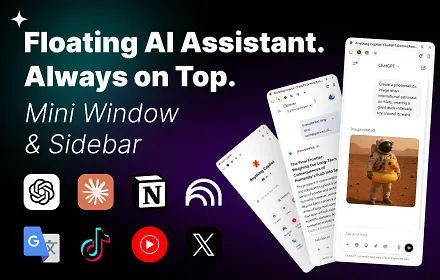
A Chrome sidebar for chatting with ChatGPT, DeepSeek or Gemini using live page context.
At a glance
Starts at
Free
No paid plan found on the Chrome Web Store, September 2026.
Free tier
Yes
Platforms
Chrome
Best for
People wanting one sidebar for several AI chatbots
Not for
Anyone happy with just one AI provider's own app
4.9 out of 5
Scored by Alex after real useOur verdict
AI Sider lives in Chrome's native side panel and gives you ChatGPT, DeepSeek and Gemini in one place, letting you screenshot a page, extract its text, or upload a simplified HTML file straight into a chat for analysis. It also pulls YouTube subtitles automatically to summarize long videos and offers context-aware shortcut buttons that change based on the site you're on. It requires no account and collects no conversation data, and with 446 ratings averaging 4.9 stars, it's clearly found an audience among people who want several AI models without leaving the page they're browsing.
✓What it does well
Multi-model sidebarPuts ChatGPT, DeepSeek and Gemini together in one native sidebar.
Screenshot to AICaptures a full page or selected region and sends it straight to AI chat.
YouTube video summarizationExtracts video subtitles automatically to summarize long YouTube videos.
✕Where it falls short
No account, no cloud historyWithout an account, there's no cross-device history to fall back on.
Depends on external AI providersIt only relays to outside AI providers, without its own model behind the scenes.
Chrome onlyIt works only inside Chrome's side panel, not other browsers.
Key features
Region screenshot captureCaptures a selected screen region and pastes it into an AI chat.
Page context extractionExtracts webpage text and sends it for summarization or translation.
DOM file analysisGenerates a simplified HTML file of a page for deeper AI analysis.
Context-aware shortcutsShows AI shortcut buttons tailored to the site you're visiting.