Ink With AI
Generates a custom tattoo design from a written description in under a minute.
At a glance
3.9 out of 5
Scored by Alex after real useOur verdict
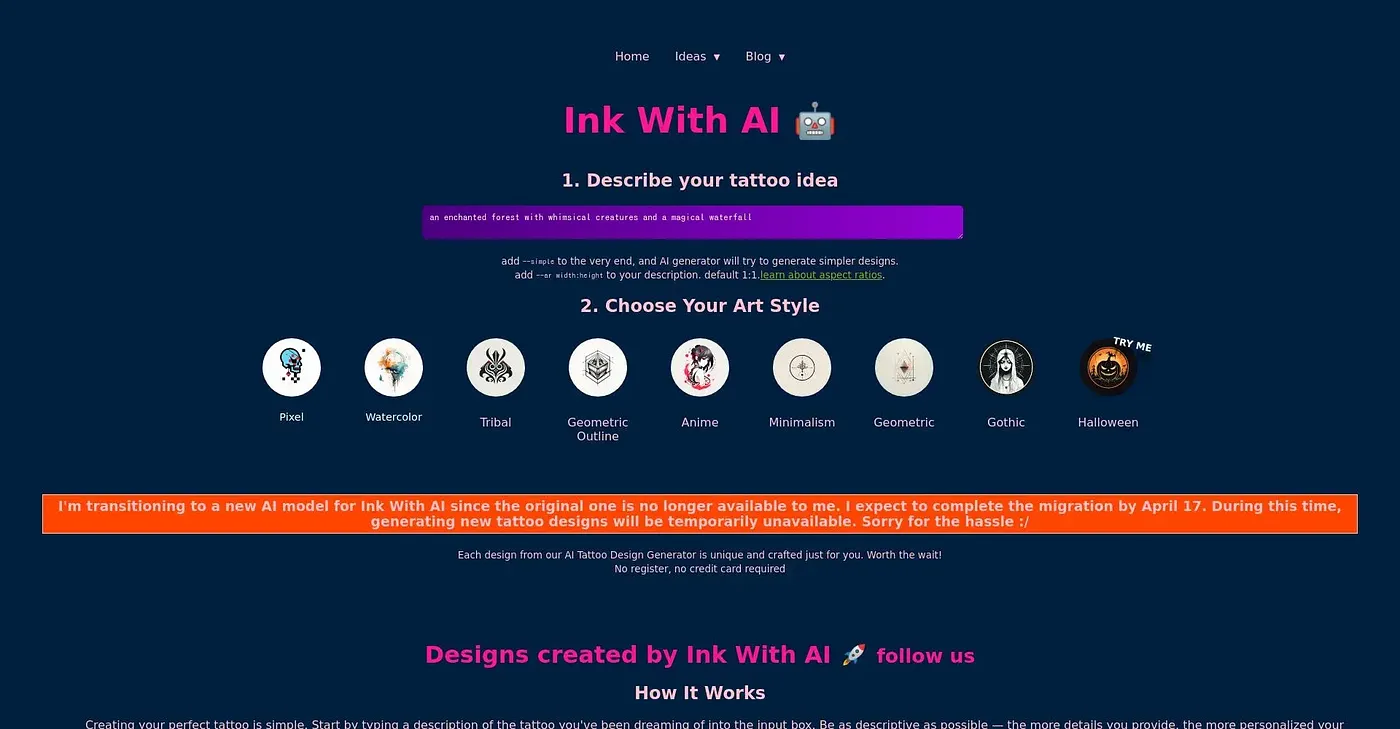
Ink With AI turns a written description of a tattoo idea into a design in under a minute, with styles ranging from watercolor and geometric to anime and gothic. No signup or credit card is needed to start browsing the tool. Actually generating a design requires buying credits, and the results can lack the fine detail a professional tattoo artist would put into a hand-drawn piece.
✓What it does well
✕Where it falls short
Key features
Questions about Ink With AI
Is Ink With AI still available?
The vendor's site for Ink With AI is offline, so Toolio found no current price for it. When reviewed, the tool turned a written description of a tattoo idea into a design in under a minute. Toolio still lists it, with a score of 3.9 out of 5 from Alex.
What does Ink With AI do?
Ink With AI turns a detailed written description of a tattoo idea directly into a tattoo design, which typically generates in under a minute. Browsing and starting a design needs no account or credit card. Toolio lists it as best for people sketching tattoo ideas before seeing an artist.
What tattoo styles can Ink With AI create?
Ink With AI offers styles that span watercolor, geometric, tribal, anime, gothic and more. The same tattoo idea can be generated across several distinct art styles, which the reviewer lists among its main strengths along with fast generation from a text description.
Is an Ink With AI design ready to take to a tattoo artist?
Not as a finished piece. The reviewer describes Ink With AI as a starting concept rather than a design ready for a tattoo artist to ink directly, and notes its designs can lack the fine detail of a hand-drawn tattoo by a professional artist.
What are some alternatives to Ink With AI?
Toolio lists TikTok Emoji, Fooocus and Hyra Vision as alternatives to Ink With AI. Fooocus generates high-quality images, TikTok Emoji offers copy-ready emoji packs for TikTok captions and bios, and Hyra Vision is best for Apple Vision Pro users.