
Rknown2Notion Chrome Extension
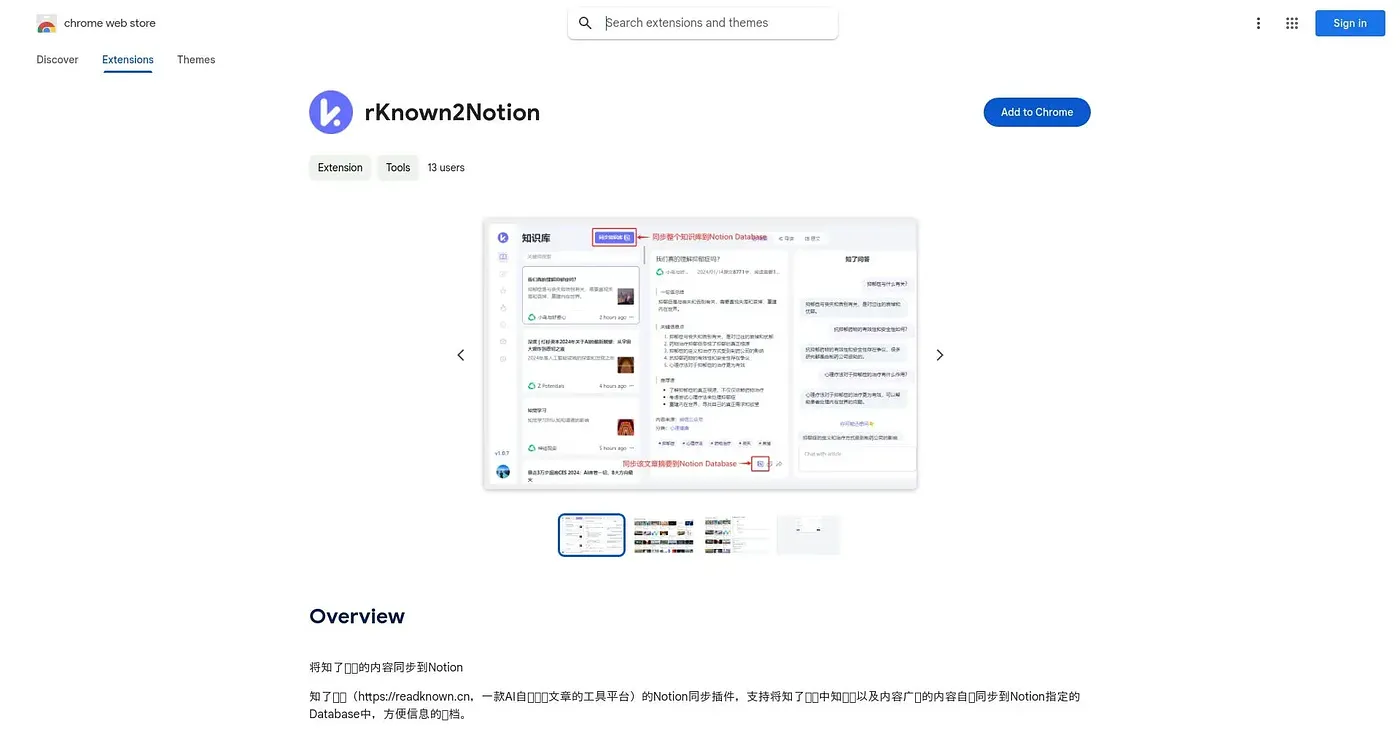
Syncs your saved articles and summaries from Zhiliao Reading straight into a Notion database.
At a glance
3.9 out of 5
Scored by Alex after real useOur verdict
This extension pushes content from Zhiliao Reading's knowledge base and content plaza into a specified Notion database automatically, aimed at people who want their reading archive to live in Notion rather than a separate app. It only makes sense alongside Zhiliao Reading itself, an AI article-summarizing platform. Being a small, single-developer tool with no ratings yet, there's little track record to judge it by.
✓What it does well
✕Where it falls short
Key features
Questions about Rknown2Notion Chrome Extension
What does the Rknown2Notion Chrome Extension do?
The extension syncs saved articles and summaries from Zhiliao Reading straight into a chosen Notion database. It pushes content from both the personal knowledge base and Zhiliao Reading's public content plaza automatically, so a reading archive can live in Notion without manual copying.
Does the Rknown2Notion Chrome Extension need Zhiliao Reading?
Yes. The extension only works alongside a separate Zhiliao Reading account and platform, an AI article-summarizing service. Toolio lists it as best for Zhiliao Reading users archiving notes into Notion and not for anyone who does not already use Zhiliao Reading.
Is the Rknown2Notion Chrome Extension free?
Yes, the extension has a free tier, and no paid plan was found on the Chrome Web Store in September 2026. It runs in Chrome, and Toolio lists its price at $0.
What are the drawbacks of the Rknown2Notion Chrome Extension?
The reviewer notes that the extension and its source platform are only available in Chinese. It is also a small, single-developer tool with no user ratings yet, so its reliability is still unproven and there is little track record to judge it by.
How does Toolio score the Rknown2Notion Chrome Extension?
The extension holds a Toolio score of 3.9 out of 5, given by Alex on 5 Oct 2026 after real use. The reviewer credits its automatic Notion sync, its coverage of both the knowledge base and the content plaza, and its simple archiving.