
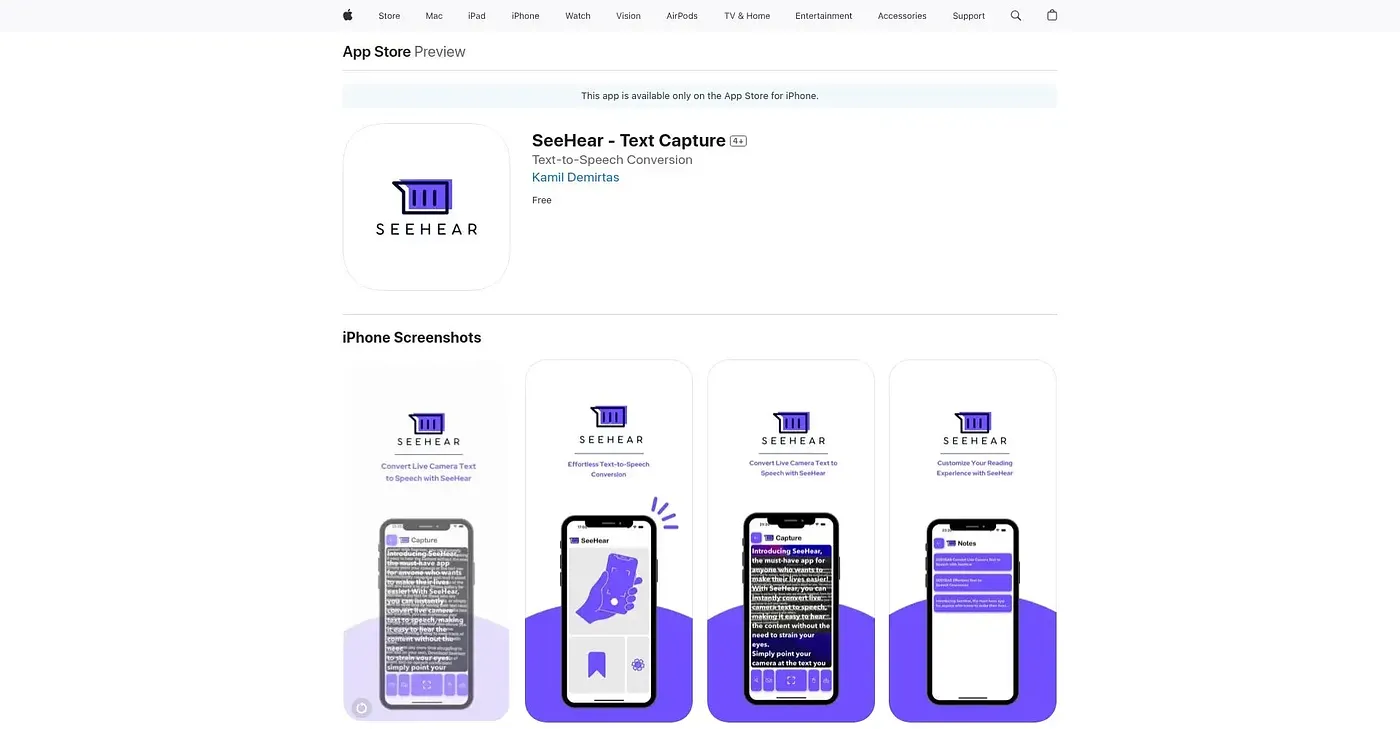
SeeHear - Text Capture
For those who need text-to-speech on-the-go, but not for complex needs.
At a glance
Starts at
Free
No paid plan found on the App Store, September 2026.
Free tier
No
Platforms
iOS
Best for
Visually impaired, dyslexic users
Not for
Users needing advanced speech customization
3.7 out of 5
Scored by Alex after real useOur verdict
SeeHear converts live camera text to speech easily and saves photos. It's great for quick reference but may lack advanced features.
✓What it does well
Quick ConversionsEasily convert live or photo-based text to speech in seconds.
Customizable ExperienceAdjust text size and font for better reading comfort.
Save Text ImagesCapture text snippets which can be saved as images.
✕Where it falls short
Limited FeaturesDoes not support advanced speech customization options like voice pitch or speed adjustments.
No Accessibility SupportThe app does not indicate which accessibility features it supports.
Missing Advanced FunctionalityDoesn't offer advanced text analysis like translation or keyword extraction.
Key features
Text CaptureConverts live camera text to speech instantly.
Customizable Size & FontAdjust the size and font of captured text for better readability.
Save Captured TextCapture and save images of text snippets as needed.
Save Text SnippetsCapture and save text images.