
Ultimate Toolbar GPT – Fo Extension
A ChatGPT-powered toolbar that turns any selected web text into a reply, translation, or summary on the spot.
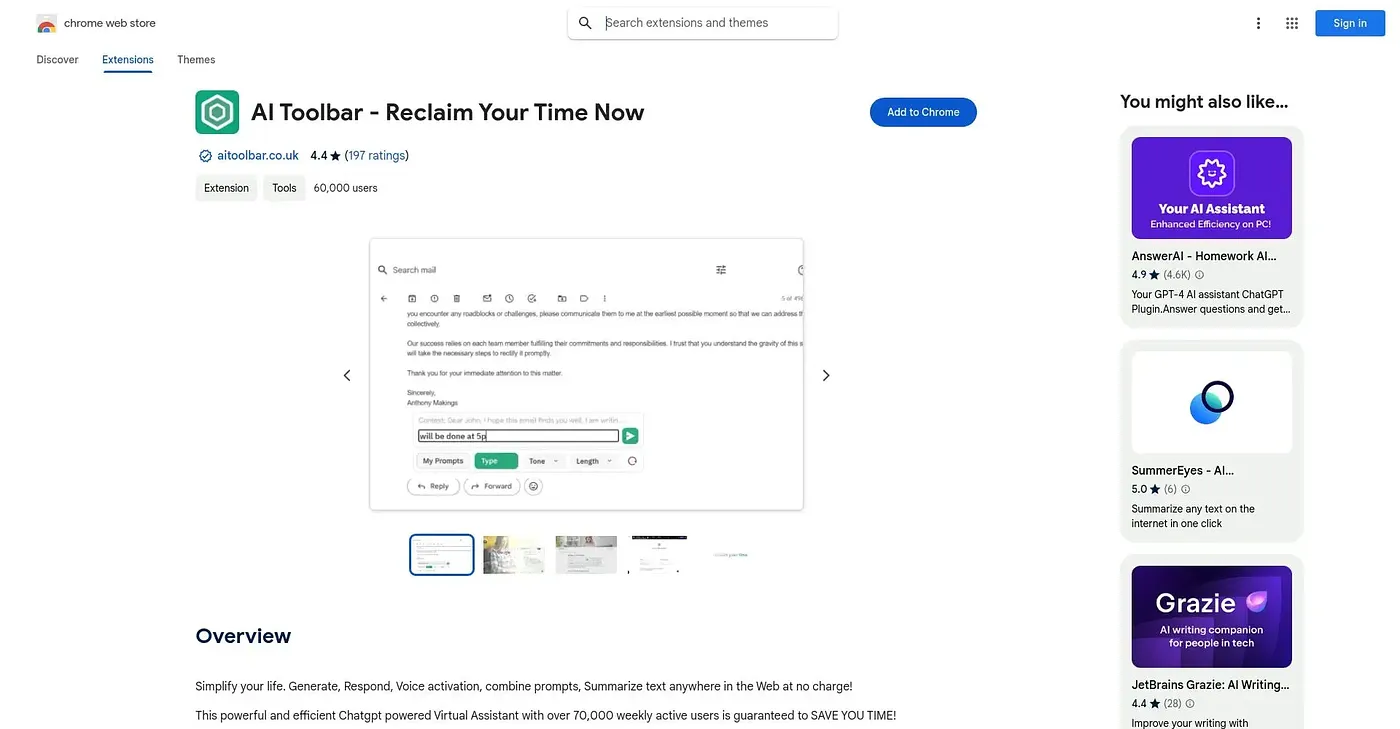
At a glance
Starts at
Free
Listed as free on the Chrome Web Store.
Free tier
Yes
Platforms
Chrome, API
Best for
Freelancers and professionals drowning in daily email
Not for
Users wanting one-click replies with no setup
3.9 out of 5
Scored by a Toolio reviewer after real useOur verdict
This ChatGPT-powered toolbar turns highlighted text on any page into a translation, summary, paraphrase, or ready-to-send email reply, triggered by voice or by typing a short command. Freelancers and professionals fielding a heavy volume of messages get the most out of it, since the whole pitch is cutting time spent on repetitive replies. Using it starts with creating an account, and getting a precisely tailored result means working through more than 300 combinable prompt settings rather than one default option.
✓What it does well
Select-to-commandSelect text on any page, then speak or type a command to act on it.
Voice-driven repliesCarries out spoken requests without needing to touch a keyboard.
Prompt savingSaves your favorite prompts in a personal library for reuse.
✕Where it falls short
Login gateUsing it requires signing up or logging in before you can select text and use any feature.
Prompt complexityGetting a tailored reply means combining from over 300 prompt options, not a single default button.
Bundled automation extrasUndetectable AI and video generation ship as separate automation add-ons without clear standalone instructions.
Key features
Select-to-commandSelect text on any page, then speak or type a command to act on it.
Voice-driven repliesCarries out spoken requests without needing to touch a keyboard.
Prompt savingSaves your favorite prompts in a personal library for reuse.
Word and PDF exportExports generated text straight into Word or PDF files.