Viggle AI
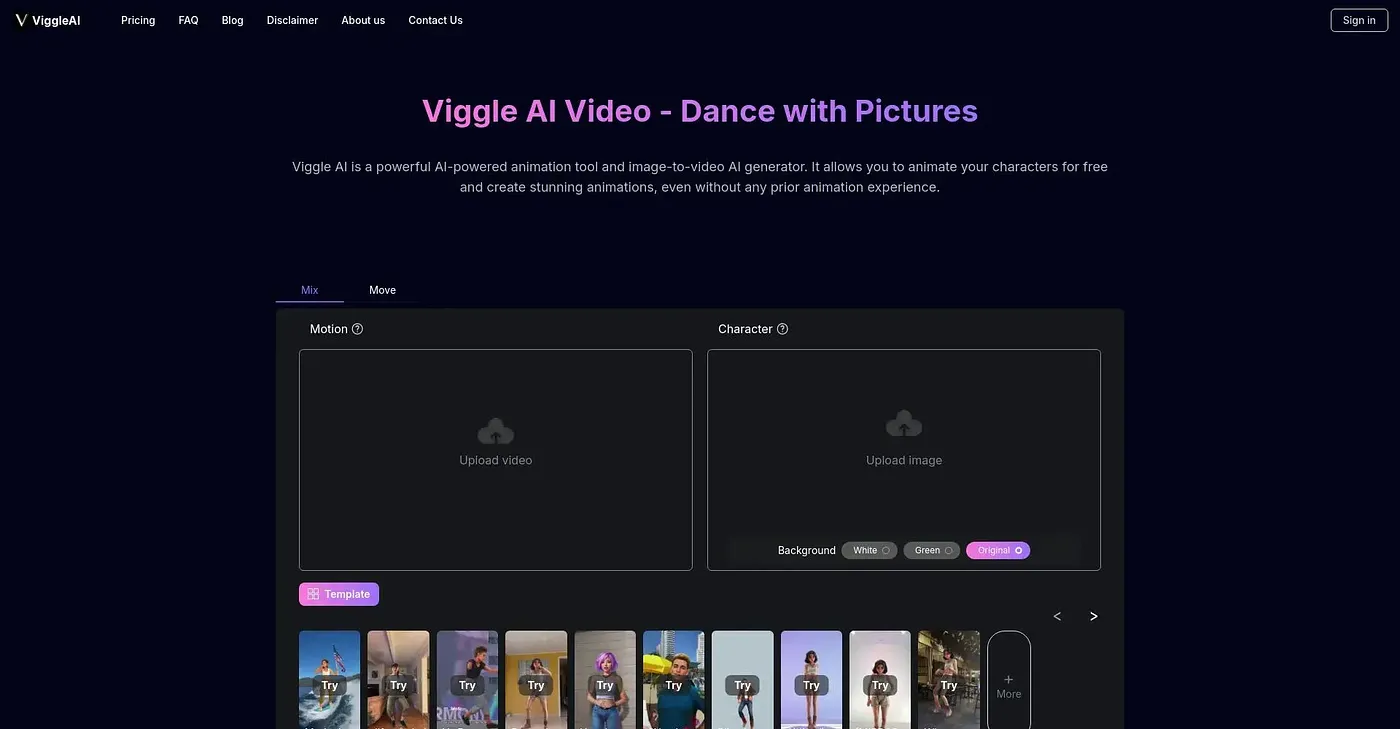
Viggle AI is a simple tool for animating characters and creating videos, making animation accessible to all.
At a glance
Starts at
Free
No paid plan found on the vendor's site, September 2026.
Free tier
Yes, limited
Platforms
Web
Best for
Beginners and content creators
Not for
Advanced animation professionals
3.9 out of 5
Scored by Alex after real useOur verdict
Viggle AI makes animation simple with drag-and-drop ease, but experienced users might find its limited control frustrating. It’s perfect for those new to the craft or looking for a quick, fun project, not ideal for professional-level work.
✓What it does well
Ease of UseViggle AI offers a user-friendly interface, making it accessible even for those with no animation experience.
Creative CustomizationThe tool allows for creative visualization through unfiltered video generation and custom background options.
Character AnimationViggle AI Mix and Move features enable bringing still images to life with ease.
✕Where it falls short
Limited ControlIt lacks advanced controls, making it difficult for more experienced animators to achieve precise movements.
No Advanced PlansThere are no premium plans or additional features beyond the basic functionality provided.
Dependent on Input QualityThe quality of output heavily depends on clear and high-quality input images and videos.
Key features
AI AnimationTransforms static characters into animated figures using AI technology.
Unfiltered Video GenerationAllows for unrestricted visual customization in video generation mode.
Character Mix and Move FeaturesEnables combining static images with motion videos to animate characters or placing them into dynamic scenes.
Advanced ControlsEnables Precise Movements