Blogs / Ai tools 2 / October 2026
The best AI photo editors in 2026, free and paid
For most people, the best AI photo editor free of charge is already on their phone: Google Photos removes unwanted objects at no cost and, in the US, lets you type or say the edit you want. On a laptop, Pixlr covers generative fill, object removal and background removal in a browser for free. For paid, professional work the best AI image editor is still Adobe Photoshop, and the cheapest way to get it is Adobe's $19.99 a month Photography plan, which adds Lightroom.
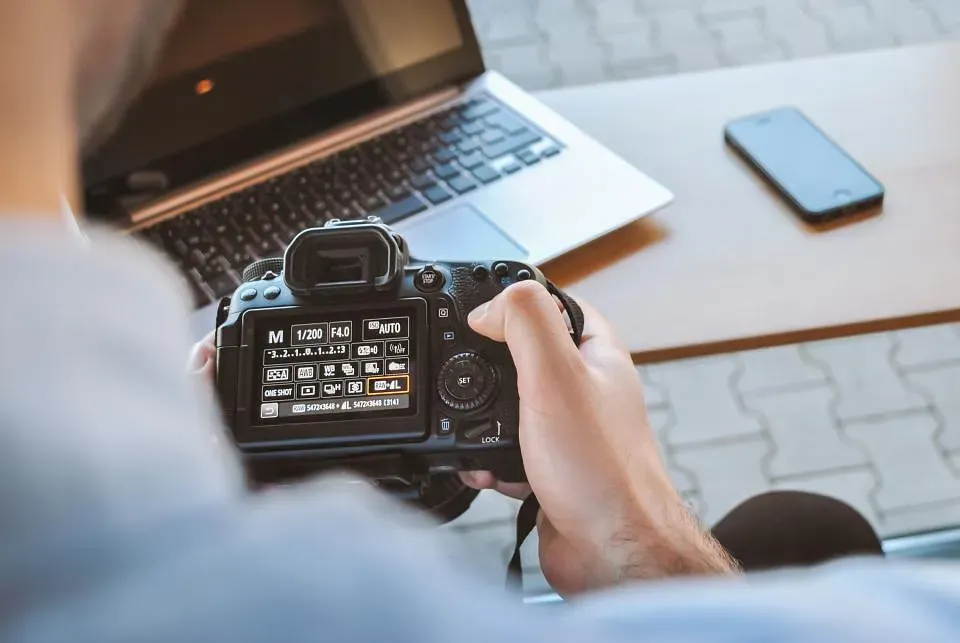
For most people, the best AI photo editor free of charge is already on their phone: Google Photos removes unwanted objects at no cost and, in the US, lets you type or say the edit you want. On a laptop, Pixlr covers generative fill, object removal and background removal in a browser for free. For paid, professional work the best AI image editor is still Adobe Photoshop, and the cheapest way to get it is Adobe's $19.99 a month Photography plan, which adds Lightroom.
Key takeaways
- Adobe's Photography plan ($19.99 a month on an annual plan) includes Photoshop, Lightroom, 1TB of storage and 1,000 monthly generative credits. The Photoshop-only plan costs $22.99 and lists 25 credits, so it is the worse deal for most buyers.
- Object removal and background removal are now standard. Free tools such as Google Photos, Pixlr and Fotor handle small, simple removals well enough for social media.
- Free plans limit you through ads, export resolution, AI credits or licensing. Photoroom's free plan is for personal, non-commercial use only, and Fotor's free exports are normal resolution rather than HD.
- Luminar Neo is the main pay-once option, but its generative tools (GenErase, GenSwap, GenExpand) need a Luminar Prime subscription after the first year.
- Specialists beat all-rounders in their niche: Photoroom for product photos, Canva for social graphics, Lightroom for large batches of camera photos.
Prices below were checked on each vendor's pricing page or official US app store listing as of October 2026. A few vendor pages displayed euros rather than dollars; those prices are shown in euros, and the US price may differ.
| Editor | Best for | Free plan | Paid from (as of October 2026) | Main drawback |
|---|---|---|---|---|
| Adobe Photoshop | Retouching and compositing | 7-day trial; free phone app with basic tools | $22.99/mo (annual); mobile and web $7.99/mo | Costly, slow to learn |
| Adobe Lightroom | Photographers editing in batches | Free mobile app | $11.99/mo (annual) | No layer compositing |
| Luminar Neo | Paying once instead of subscribing | Trial mode | €99 one-time | Generative tools need Prime after year one |
| Google Photos and Gemini | Free fixes by describing the edit | Yes | Free; Google AI plans raise limits | Little manual control |
| Pixlr | Free browser editing with AI | Yes, with ads | €1.99/mo billed yearly (Plus) | Thin AI credits on cheap tiers |
| Fotor | One-click fixes for beginners | Yes, normal-resolution exports | $8.99/mo or $47.99/yr (iOS) | HD export is paid |
| Canva | Photos that end up in a design | Yes | See pricing page | Background Remover is paid |
| Picsart | Phone editing for social posts | Yes, weekly AI credits | $11.99/mo or $64.99/yr (Plus, iOS) | Confusing tiers, weekly billing |
| Photoroom | Product and marketplace photos | Personal use only, 100 exports/mo | See pricing page | Free plan not for commercial use |
What AI photo editing actually does in 2026
"AI photo editor" now covers six different jobs. Knowing which one you need narrows the choice faster than any feature list.
- Generative fill: you select an area and describe what should be there. Photoshop runs this on Adobe's Firefly models and also offers Google's Gemini image model as a partner option. Pixlr and Luminar (GenSwap) have their own versions. It is reliable for backgrounds, skies and textures and least reliable for faces, hands and readable text.
- Generative expand: the editor widens the canvas and invents what lies beyond the frame, which is useful for turning a vertical phone shot into a wide banner. Photoshop, Lightroom (added in 2026), Pixlr, Fotor, Picsart and Luminar all offer it. Check the edges: repeating patterns and bent straight lines are the usual giveaway.
- Object removal: brush over a person, sign or power line and the tool fills the gap. This is now a commodity. Google Photos' Magic Eraser and Pixlr's Object Remover handle small removals for free, while Photoshop's Remove tool and Lightroom's Generative Remove do better on large objects and busy backgrounds.
- Background removal: one click cuts out the subject. Every editor here does it. The differences are how cleanly it handles hair, glass and fine edges, and whether it is free. In Canva it is a paid feature.
- Upscaling: AI enlarges a small image and adds detail. Photoshop's Generative Upscale lets you choose Firefly or Topaz Labs models, and Pixlr's Super Scale goes up to 25 megapixels. The added detail is invented, so treat upscaled faces and documents with suspicion.
- Relighting: the newest and least mature category. Photoshop's Harmonize matches the light, color and shadows of a pasted subject to its new background, and Luminar has Light Depth and Studio Light tools. Results vary from image to image, so expect to try several variations.
The best AI image editors for serious work
Adobe Photoshop
Photoshop is still the most complete AI image editor. Generative Fill, Generative Expand, the Remove tool, Harmonize for composites, Generative Upscale and improved selection and background removal all sit inside the layer-based editor that designers already know. Being able to switch Generative Fill to a partner model such as Google's Gemini helps when Firefly's first attempt looks wrong.
Price: $22.99 a month on an annual plan billed monthly, or $263.88 prepaid for a year, with a 7-day free trial. The free Photoshop app for iPhone and Android includes basic editing tools, while the Remove tool, Object Select and generative credits need the $7.99 a month mobile and web plan. Best for: designers, retouchers and anyone building composites. Drawback: it is expensive and slow to learn, and generative features run on monthly credits. Adobe's plan page lists only 25 credits a month for Photoshop alone, so most buyers should take the Photography plan instead.
Adobe Lightroom
Lightroom is built for photographers who edit hundreds of camera files rather than one composite. Its AI tools fit that job: Generative Remove for distractions and people in the background, Denoise for high-ISO shots, Assisted Culling to flag closed eyes and exposure problems, AI masks that select a sky, subject or person in one click, and Generative Expand, added in 2026.
Price: the Lightroom mobile app is free on iOS and Android, with premium features behind a plan. The Lightroom plan costs $11.99 a month on an annual plan, with 1TB of storage and 250 generative credits. Best for: wedding, travel and sports shooters who need consistent edits across a whole shoot. Drawback: no real layer compositing, and the Lightroom-only plan leaves out Photoshop, which the Photography plan adds for $8 more a month along with 1,000 credits.
Luminar Neo
Luminar Neo, which Skylum now often markets simply as Luminar, is the main alternative for photographers who dislike subscriptions. It bundles one-click tools such as Sky AI, Enhance AI, Noiseless AI, Upscale AI, Face AI and Skin AI with the generative GenErase, GenSwap and GenExpand. It runs on Windows and macOS on its own or as a plug-in for Lightroom Classic and Photoshop.
Price: Skylum's store listed a one-time Desktop license at €99, All Platforms at €129 and Max at €159, which includes a year of Luminar Prime. Best for: enthusiasts who want fast sky, portrait and cleanup edits without learning Photoshop. Drawback: "one-time" comes with a condition. GenErase, GenSwap, GenExpand, Restoration and the AI Assistant need Luminar Prime after the first 365 days, and it is not a compositing tool on Photoshop's level.
The best AI photo editor free options
Free editors are good enough for phone photos and social posts. Each one makes money somewhere, so the catch is usually a limit you hit on the second or third image.
Google Photos and Gemini
If your photos already live in Google Photos, start there. Magic Eraser removes objects, and the Help me edit option lets you type or say what you want changed, such as "remove the reflection" or "make it brighter". It started on the Pixel 10 and has since rolled out to other phones in the US, with Google limiting it by age, country and language. The Gemini app also edits uploaded photos with Google's Nano Banana image model on free accounts.
Price: free; paid Google AI plans raise Gemini's limits. Best for: quick fixes on phone photos without learning an editor. Drawback: you get almost no manual control, and Google says free Gemini limits can change without notice and are reduced first when capacity is tight. With Gemini's Keep Activity setting on, uploaded photos can be used to improve Google's services with help from human reviewers.
Pixlr
Pixlr is the closest thing to a free Photoshop in a browser. It splits into Pixlr Express, the AI-first app with Generative Fill, Object Remover, Generative Expand, background removal and Super Scale upscaling, and Pixlr Editor, a layer-based editor for more detailed work. No account is needed to start.
Price: free with ads. Pixlr's pricing page lists Plus at €2.49 a month (€1.99 billed yearly) with 80 AI credits, no ads and unlimited saves, and Premium at €9.99 (€7.99 yearly) with 1,000 credits. Best for: students and hobbyists who want layers and AI without paying. Drawback: AI credits on the free and Plus tiers run out quickly, and it lacks the advanced compositing tools of desktop software.
Fotor
Fotor is aimed at beginners who want one-click results: an AI Photo Enhancer for blurry or low-resolution shots, Magic Eraser, background removal and replacement, AI Retouch for skin, AI Expand, and photo restoration and colorization. It works in the browser and in mobile apps.
Price: the Basic plan is free. On the US App Store, Fotor Pro costs $8.99 a month or $47.99 a year. Best for: casual users fixing old, blurry or badly lit photos. Drawback: free exports are normal resolution, and HD or transparent PNG export needs a paid plan. Explanations for the more advanced tools are thin.
Canva
Canva is a design tool first and a photo editor second. It is the right pick when the photo ends up in a social post, flyer or slide, because the edit and the layout happen in one place. Canva also owns Affinity, a desktop editor for Mac and Windows that is now free for individuals, although its AI tools require a Canva premium plan.
Price: a free plan is available. Canva's US App Store listing shows several different Pro prices at once, so check the pricing page before paying. Best for: small businesses and social media managers. Drawback: the most useful photo tools, Background Remover and Magic Eraser, are paid, and fine control over edits is limited compared with a dedicated editor.
Picsart
Picsart is a mobile-first editor for social content. It covers AI Expand, background removal, portrait retouching, AI filters and avatars, plus Aura, a chat assistant that edits images using third-party models such as Google's Nano Banana.
Price: the free plan includes core editing tools and weekly AI credits. On the US App Store, Plus is $11.99 a month or $64.99 a year, and Pro is $13.99 a month or $83.99 a year. Best for: creators editing on a phone for Instagram and TikTok. Drawback: the App Store lists several overlapping tiers, including weekly billing that costs far more over a year. If you subscribe, pick an annual plan.
Best AI photo editor for product photos
Photoroom
Photoroom is built for sellers. Background removal, AI backgrounds, object removal, resize and expand, AI shadows, virtual try-on and ghost mannequin tools all aim at clean marketplace listings, and it runs on mobile, web and an API.
Price: paid plans are Pro, Max and Ultra; see the vendor's pricing page. Yearly Pro and Max plans include a 7-day free trial. Best for: online stores and resellers producing dozens of listing photos a week. Drawback: the free plan is for personal, non-commercial use only and caps exports at 25 a week and 100 a month, so any seller needs a paid plan.
How to choose
- You want free and you edit on your phone: Google Photos first, then Picsart if you need effects for social posts.
- You want free on a laptop: Pixlr for browser editing with AI, or Affinity if you want a full desktop editor and can live without its AI tools.
- The photo ends up in a design: Canva. Pay for Pro only if you remove backgrounds regularly.
- You shoot with a camera and edit in batches: Adobe's Photography plan. At $19.99 a month it costs less than Photoshop alone and includes Lightroom.
- You refuse subscriptions: Luminar Neo, accepting that the generative tools will need Luminar Prime after a year.
- You retouch portraits at volume: wedding and portrait photographers should look at Evoto AI, which combines culling, per-face retouching and batch edits and charges about 1 credit per exported image for most features. Costs grow with every gallery you deliver.
- You sell products online: Photoroom on a paid plan.
- You mainly restore old family photos: Fotor.
One habit applies to all of them: zoom to 100 percent before you export. Generative edits that look clean on a phone screen often show smeared texture or repeated patterns at full size.
FAQ
What is the best free AI photo editor?
For phone photos, Google Photos, because Magic Eraser and its typed editing cost nothing. On a laptop, Pixlr offers generative fill, object removal and background removal in a browser, with ads. Fotor is the easiest for one-click fixes, but its free exports are normal resolution.
Is Photoshop's AI free?
Not on desktop. Photoshop costs $22.99 a month on an annual plan after a 7-day trial, and generative features use monthly credits. The free Photoshop phone app includes basic tools, but the Remove tool and generative credits need the $7.99 a month mobile and web plan.
What is the best AI image editor for professionals?
Photoshop, bought through the Photography plan so you also get Lightroom and more credits. Lightroom alone suits photographers who rarely composite, and Luminar Neo is the pay-once alternative.
Can I use photos from free AI editors commercially?
It depends on the plan's terms. Photoroom's free plan is explicitly personal and non-commercial. Read the license on any free plan before using its output in ads or product listings.
Does AI upscaling add real detail?
No. Upscalers predict plausible detail rather than recovering what the camera missed. That is fine for web images and prints of scenery, and risky for faces, text and anything that must be accurate.