
Cutback Video
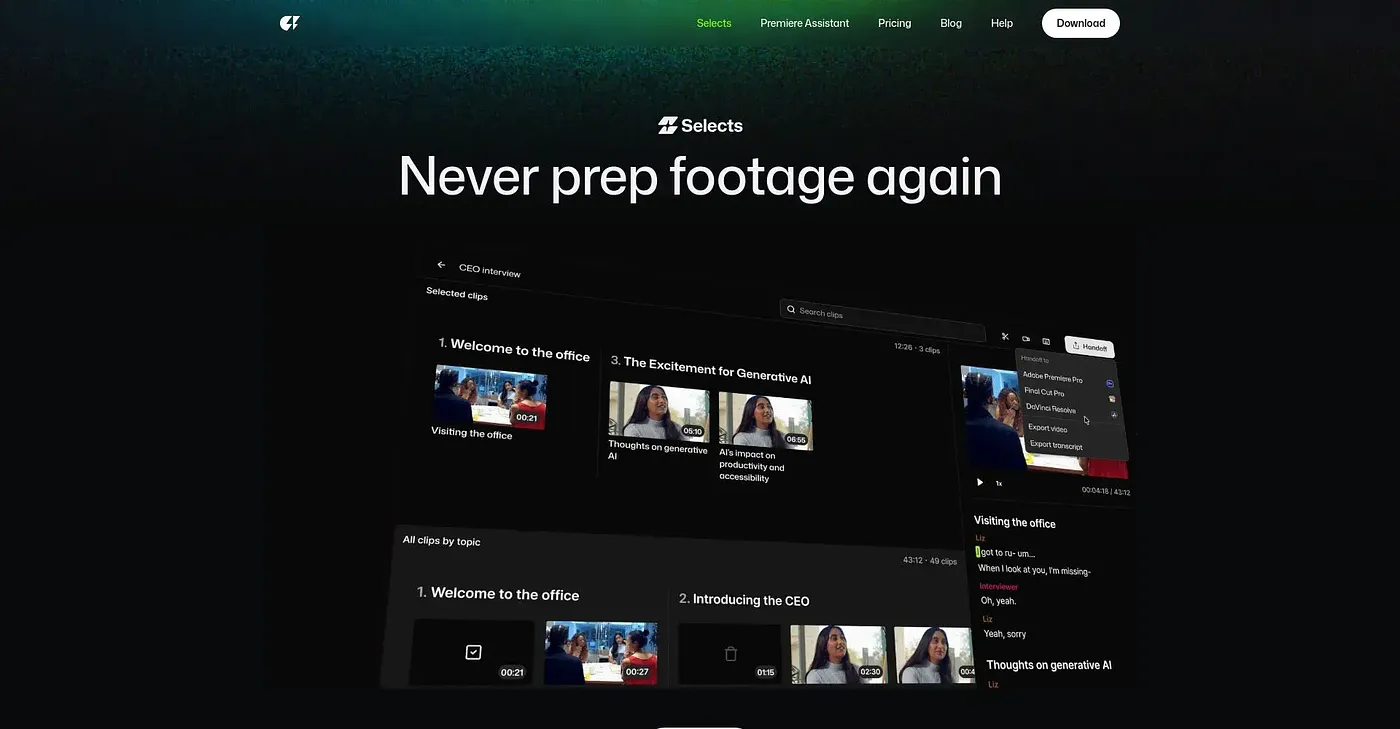
AI video editor that prepares footage for quick refinement.
At a glance
3.9 out of 5
Scored by Alex after real useOur verdict
Selects AI-prepares your raw footage into a first cut. Perfect for those who need fast edits but not everything automated. It’s great if you want to jump right into the creative part with a solid starting point, but it may lack advanced manual controls.
✓What it does well
✕Where it falls short
Key features
Questions about Cutback Video
What does Cutback Video do?
Cutback Video is an AI video editor that watches, organizes and edits raw footage into a first cut. It syncs speakers, audio tracks and video from multiple cameras automatically, and it can find specific moments through simple searches such as 'the part where he laughed'. Editors then refine the cut themselves.
How much does Cutback Video cost?
Cutback Video has no free tier. The Starter plan costs $20 per month, and the Yearly plan is listed at $16 per month with a 20% saving. The reviewer still calls the yearly subscription expensive despite the discount.
Does Cutback Video work with other editing software?
Yes. Cutback Video uses non-destructive editing, so original footage stays intact when the first cut is handed off to NLE software for finishing. The app itself runs on the web, macOS and Windows.
Who is Cutback Video for?
Cutback Video is built for video editors, filmmakers and producers who want fast edits without automating everything. The reviewer says it suits anyone who wants to jump straight into the creative work with a solid first cut. Toolio scores it 3.9 out of 5, a rating given by Alex on 4 Oct 2026.
What are the downsides of Cutback Video?
The reviewer notes that Cutback Video offers limited control over edits because it focuses on automation, and it may lack advanced manual controls. The cut it produces still needs some adjustments by hand. Price is the other complaint, with monthly plans starting at $20 per month.