
Online Notepad
It's good for quick notes but lacks project management features.
At a glance
3.9 out of 5
Scored by Alex after real useOur verdict
Online Notepad is a simple, free tool that suits those who need to take quick notes. However, it falls short when managing larger projects or collaborating with others.
✓What it does well
✕Where it falls short
Key features
Questions about Online Notepad
What is Online Notepad?
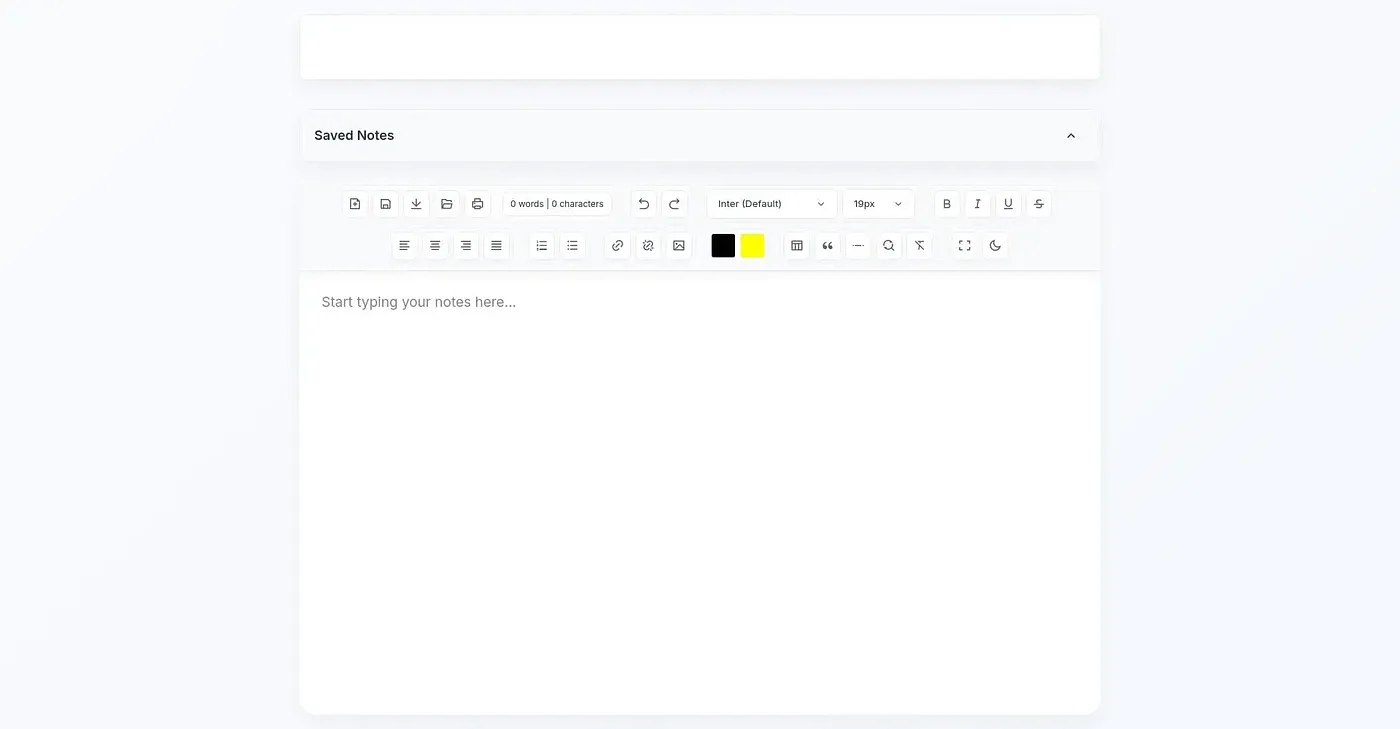
Online Notepad is a simple, free web tool for taking quick notes and jotting down ideas. It runs entirely in the browser with no installation or login required, and notes save automatically in the browser so work is not lost. It also offers over 30 font choices.
Is Online Notepad free?
Yes. Online Notepad is free to use without any commitment, and Toolio found no paid plan on the vendor's site in September 2026. No login is required either, so it can be opened and used straight away in a web browser.
What formats can Online Notepad export to?
Online Notepad can export notes as TXT, HTML, PDF, DOCX and more, which the reviewer lists among its strengths. That makes it straightforward to move a quick note into another app or document once it is written.
Does Online Notepad work on phones?
Online Notepad is accessible from a desktop, tablet or mobile phone through a web browser, with nothing to install. Toolio lists its platform as web, so it runs entirely in the browser on whichever device is being used.
What are the downsides of Online Notepad?
The reviewer says Online Notepad falls short for larger projects and collaboration. It has no tools to organize or track longer projects, limited options for sharing with others or embedding in other platforms, and only basic text formatting compared to some competitors. Alex scored it 3.9 out of 5 on 5 Oct 2026.