HelpMe - Chrome Extension
Research Tools
3.9
/5
Toolio reviewer
Scans pages for questions and answers them via ChatGPT, reading page context for relevance.
Browse by the job,
not the category
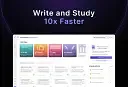
Most people arrive knowing what they need done, not which category it lives in. 65 jobs grouped into 12 kinds of work. Pick the kind on the left, or search.
Tick Compare on any two to four cards to put them side by side.
Scans pages for questions and answers them via ChatGPT, reading page context for relevance.
Humanize AI text for natural, undetectable submissions.
Blainy warns of a misleading writing platform.
Dr Oracle AI struggles with real-world scenarios.
Sells information, not a tool.
Improves reading comprehension with adaptive quizzes.
Answers direct questions about a webpage or PDF instead of making you search the whole document.
Crikk turns PDFs and texts into clear audio, letting you listen anytime, anywhere.
Adapts lessons to each student's learning style and gives teachers a dashboard of progress data.
A sidebar AI assistant that translates, summarizes YouTube videos, and chats with PDFs using GPT-4.
Bundles translation, grammar checking, and a ChatGPT-based chatbot into one Chrome sidebar.
Answers questions, drafts emails and articles, and summarizes long text, all powered by GPT-4.
It suits busy English teachers but not those needing nuanced feedback.
Bundles AI writing, translation into 75+ languages, plagiarism checking, and citations in one tool.
Practice speaking without fear of making mistakes.
Lets you chat with PDFs, Word docs and PowerPoint files to pull out summaries and key data.
A Chrome sidepane that answers questions, drafts emails and summarizes articles using GPT-4.
Pairs quiz generation and a learning chatbot with a built-in bug-reporting sidebar.
For teams needing integrity checks and AI detection.
Summarize and build instantly.
A browser chatbot for fast answers, writing suggestions and vocabulary help, with paid extras.
Summarizes YouTube and Google Meet videos into notes you can format and share with peers.
Adds an AI chat panel to YouTube so you can ask questions about the video you're watching.
Puts ChatGPT into any text field across the web, from Gmail to LinkedIn, without switching tabs.
An AI writing workspace for researchers that keeps every claim tied to a citation.
Instantly answers questions via ChatGPT and rephrases text with one click.
Biblical AI is a free-to-use assistant for Bible study; it answers only biblical questions.
Turn AI text into human-sounding writing.
One click turns dense text into a simpler version, with adjustable levels of simplification.
Answers questions and helps with writer's block right from the browser, without switching tabs.
Convert AI-generated text to undetectable human writing.
Ensures your document is below 20% AI rate with a guarantee.
kOS helps students and educators with research.
Homework, essays, studying and exams.
Students use AI for studying, summarising readings, solving practice problems and drafting essays. Quizlet and Revisely build flashcards and practice questions, Khanmigo AI acts as a tutor that guides rather than hands over answers, and ChatPDF answers questions about a reading. The risk is passing off generated work as your own, so check your school's rules on AI and cite where it helped.
It depends on your school and the assignment. Using AI to explain a concept or quiz yourself is usually allowed, while submitting generated text as your own work often is not. Check the course policy, and when unsure, ask the teacher in advance.
Yes. Turn your notes into flashcards and practice quizzes with Quizlet or Revisely, then ask a tutor tool like Khanmigo AI to explain mistakes step by step. Active recall works better than reading a summary, so test yourself with the questions.
Tools like Gauthmath and Math Solver handle standard algebra and calculus problems well and show steps. They can fail on word problems or multi-step proofs, and an answer without understanding will not help in an exam, so work through the steps yourself.