
Paratranz Helper Chrome Extension
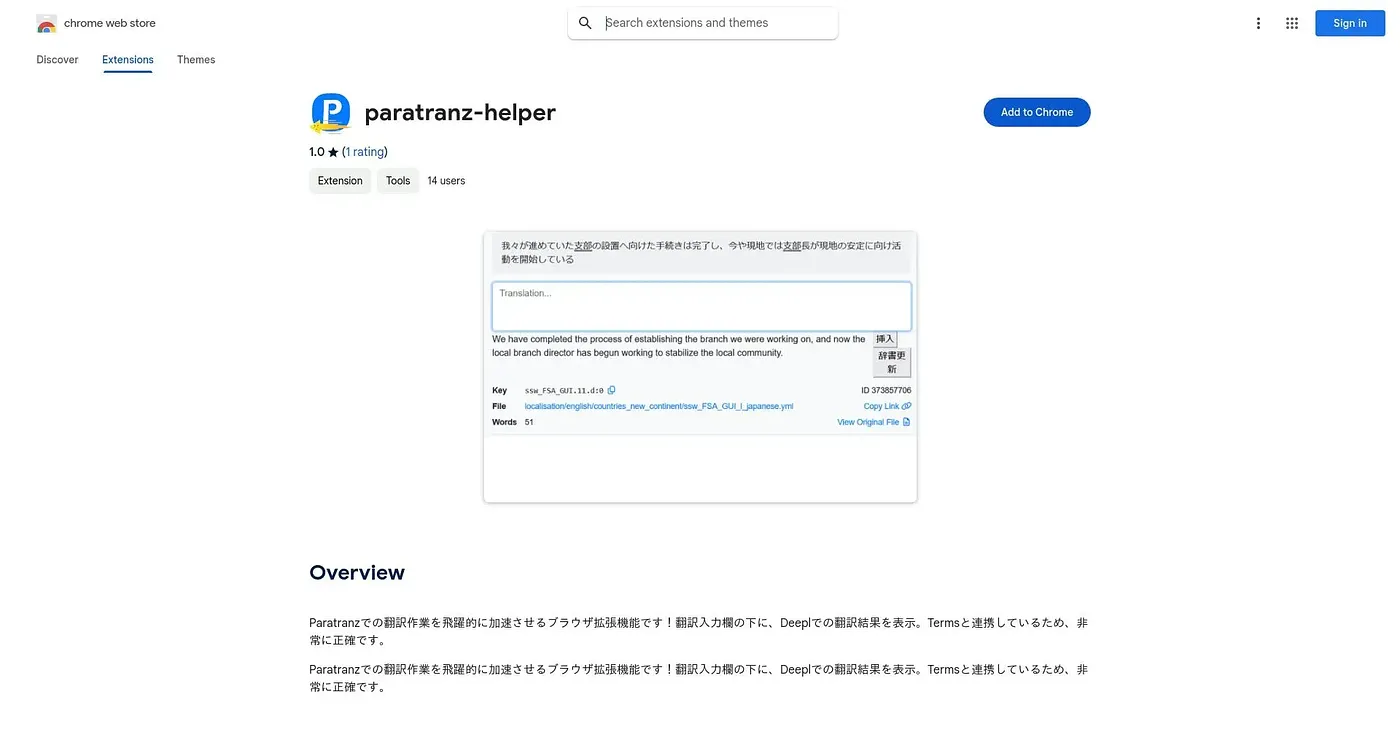
Shows a DeepL translation under the input box while you work inside Paratranz's translation tool.
At a glance
Starts at
Free
No paid plan found on the Chrome Web Store, September 2026.
Free tier
Yes
Platforms
Chrome
Best for
Paratranz translators wanting a quick DeepL reference
Not for
Anyone translating outside the Paratranz platform
3.9 out of 5
Scored by Alex after real useOur verdict
This small extension speeds up translation work inside Paratranz by showing a DeepL translation directly beneath the input field as you type. It ties into Paratranz's glossary system, which helps keep suggested translations consistent with agreed terminology. It's tiny, free, and built for Japanese-language users of one specific platform, with only a single, low public rating so far.
✓What it does well
Inline DeepL suggestionsA DeepL translation appears directly under the input field as you work.
Glossary-aware accuracyIt ties into Paratranz's glossary system to keep suggestions consistent with agreed terms.
Lightweight installAt under 60KiB, it adds almost no overhead to the browser.
✕Where it falls short
Single-platform toolIt only works inside Paratranz, with no support for other translation platforms.
Poor rating so farIt holds only one public rating, and that one is just one star.
Japanese-only listingThe extension's own description is only available in Japanese, without an English version.
Key features
DeepL translation displayIt shows a DeepL translation result under the Paratranz input field.
Glossary integrationIt connects with Paratranz's Terms glossary for more accurate suggestions.
In-line workflowSuggestions appear directly in the translation interface without switching tabs.
Lightweight extensionThe extension stays under 60KiB in size.