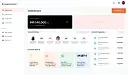
Expense Sorted
Accounting
3.9
/5
Toolio reviewer
Best for busy professionals; not ideal for heavy AI users.
HONEST REVIEWS. REAL EXPERIENCE.
Find the tool, and find out what it is bad at
Every tool is opened and used by a Toolio reviewer, who scores it and writes the honest pros, cons and a clear verdict. No hype, no fluff.
Tick Compare on any two to four cards to put them side by side.
Best for busy professionals; not ideal for heavy AI users.
Everlance automates mileage and expense tracking, helping you save money on taxes with automatic logs.
Automate tax returns, research & emails.
BuildAI simplifies project management, blog and media. Easy setup.
Screen candidates faster, reduce time-to-hire.
Billie processes invoices instantly with AI, but lacks a free tier.
Real-time receipt submission via text message, but requires an existing card setup and no international support.
Convert more sales and recover abandoned carts with AI-driven strategies, but it can be complex for beginners.
Plugcoin is a payment gateway for renewable energy transactions, ideal for businesses in the green sector; however, it charges fees for some services and lacks support for direct credit card sales.
Logs every service a motorcycle gets, then reminds owners before the next one is due.
An all-in-one platform for selling software subscriptions, digital downloads, and licenses online.
Keeper combines AI and tax pros to handle complex taxes. Manage your business's finances year-round.
Three worth starting with
Terms to know
Accounting tools handle the recurring bookkeeping jobs: capturing receipts and expenses, creating invoices, categorising transactions and preparing records for tax time. Freelancers and small businesses use them to reduce manual data entry. Examples include ZeeInvoices for invoicing and Zoho Expense Chrome Extension for expense capture. Check which accounting standards and tax rules a tool supports for your country before relying on it.
They can handle repetitive steps such as reading receipts, matching bank lines and suggesting categories. A person should still review the entries, because a wrongly categorised item can affect tax filings. Treat automation as a way to prepare the books, not to sign them off.
Many can. They extract the vendor, date and total from a photo or PDF and suggest a category. Accuracy drops with crumpled, handwritten or non-standard receipts, so check the extracted figures before they flow into your books.
Not usually. They cut data entry, but an accountant advises on tax treatment, filings and structure, which depends on your situation and local law. Many small businesses use a tool for daily records and an accountant for year-end work.