Journey Chrome Extension
To-Do Lists
5.0
/5
Toolio reviewer
Replaces your new tab page with a chatbot that manages goals and to-dos.
Browse by the job,
not the category
Most people arrive knowing what they need done, not which category it lives in. 65 jobs grouped into 12 kinds of work. Pick the kind on the left, or search.
Tick Compare on any two to four cards to put them side by side.
Replaces your new tab page with a chatbot that manages goals and to-dos.
A free sidebar running GPT-3.5 and GPT-4, with real-time summaries built for business use.
Format plain text quickly into polished documents, but not all templates support images.
It suits quick summaries and doesn't handle badly corrupted files.
Turns long YouTube lectures into organized notes, bookmarks and screenshots you can question with AI.
Looks up carrier ratings, parses shipping documents automatically and tracks loads in real time.
Free summaries, but only up to 30 MB files.
Adds GPT-powered suggestions, task management and quick notes directly inside the browser.
Automated meeting documentation with AI-generated mind maps; focus on conversation, not note-taking.
Linfo.ai summarizes insights, but lacks customization options.
Drafts notes right in the browser, then saves them straight into your Slite workspace.
Summarizes and creates quizzes from handwritten notes.
Suits teams that need a simple task manager, not individual users.
Analyzes whatever's in your active tab, summarizes it, and suggests related actions as you read.
Catalogs, documents and monitors your data stack, with AI that answers questions about it.
Saves and syncs ChatGPT conversations into organized, searchable Feishu documents in one click.
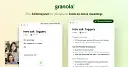
For teams with back-to-back meetings, Granola helps organize notes and actions without a meeting bot.
Transcribes and translates Google Meet calls live, then generates AI meeting notes.
Scribe medical notes quickly.
Summarizes articles in real time and lets you tag results by topic for later.
Summarizes YouTube videos, web pages and PDFs, and translates text side by side.
Defines any word on a PDF, webpage or local document in two clicks.
Summarizes YouTube videos, Google search results and web pages with ChatGPT, all from one browser button.
Automates the repetitive typing and note-taking that sales calls generate, so reps type less.
SkedPal turns your to-do list into a smart, time-blocked schedule.
Tracks your research across tabs, though AI summaries need a Waterloo email.
Adds vLex citation links and related documents on top of your Google search results.
Condenses any webpage or article into a summary you can adjust from brief to detailed.
Convert handwritten notes into digital text.
Create professional documents in minutes.
Create fillable documents easily, but lacks advanced customization.
Transcribes speech into notes, cleans up grammar in real time, and adds follow-up questions to what you've said.
Summarizes long articles into key points, then turns them into shareable reports or presentations.
Summarizes the article you have open in a tab, with more content types planned.
Convert links, images, documents or videos into an AI knowledge base.
Summarizes web pages into mind maps and pulls quick summaries from YouTube subtitles.
Transcribes meetings live and turns them into AI summaries with key points and action items.
An all-in-one sidebar assistant for webpage translation, AI chat, summaries and writing.
Automates browser tasks and summarizes web content using GPT-4, plus real-time translation.
It combines tasks, calendar and notes into one place, powered by AI.
Extracts questionnaire questions and auto-fills answers from your own knowledge base.
GoLinks transforms long URLs into memorable, shareable short links to boost productivity.
Limited to ADHD users only; great for staying focused but misses general productivity needs.
Hurd.ai captures notes and summarizes transcripts for you while you focus on listening.
Manages digital documents, meets GoBD.
Answers work questions and finds documents by connecting to your company's own apps and data.
Condenses websites, YouTube videos and PDFs into key takeaways, then answers questions about them.
Automatically transcribes and summarizes Google Meet sessions using ChatGPT.
Notes, documents, summaries and focus.
Office and knowledge workers spend their day in email threads, meetings, shared documents and half-finished notes, so most tools here cut down reading and writing time. Notion AI works inside notes and wikis, while JotMe and Transkriptor turn calls into summaries. The main trade-off is where your content goes: check whether a tool sends meeting audio or documents to an outside server before using it on work files.
Meeting recorders and transcription extensions such as JotMe, Transkriptor and Tape AI Meeting Summaries capture a call and produce a summary with action items. Accuracy drops with crosstalk and accents, so skim the transcript before sending notes to the team.
Only if your employer allows it. Many tools send text to third-party servers, and some may keep it for product improvement. Look for a data-retention statement, an opt-out from training, and ask your IT or compliance team before pasting contracts or client data.
A notes tool such as Notion AI works on content already stored in your workspace, so it can summarise a page or draft from your own notes. A general chatbot starts from a blank prompt and only knows what you paste in.



.svg)