Remodeled AI
3D Design
4.0
/5
Toolio reviewer
Upload a photo, select a style; instant visual results.
HONEST REVIEWS. REAL EXPERIENCE.
Find the tool, and find out what it is bad at
Every tool is opened and used by a Toolio reviewer, who scores it and writes the honest pros, cons and a clear verdict. No hype, no fluff.
Tick Compare on any two to four cards to put them side by side.
Upload a photo, select a style; instant visual results.
Generate professional designs in seconds.
Build a marketing site you’d actually publish, but it’s not for simple sites.
Automate academic tasks but pay extra for GPT-4 access.
Upload a room photo, choose styles, and get free AI-generated walk-throughs. It falls short on video quality in lower-tier plans.
An AI art generator that turns plain QR codes into shareable pieces of generated artwork.
Upload a photo, remove the background, and download HD.
Generates game textures,
AI-powered pixel art generator, creates vibrant artwork online. Ideal for artists and designers.
Pietra Studio unifies marketing, sourcing and operations with AI. Get insights personalized to your brand.
Create style-consistent vector illustrations in seconds.
Suits commercial and government organizations but expensive for small projects.
Create your brand in one platform, instantly.
Domain registered but not linked to hosting, perfect for new domains needing a server service.
Make AI voice covers, clone voices free.
Visily is bad at teaching you design basics.
Upload image for free in seconds.
Vectorizer.AI turns pixels into scalable vectors in seconds. Not great for complex medical imaging.
AI tools for design.
Practice speaking without fear of making mistakes.
Ishi bridges your desktop to AgenticFlow, organizing files locally and automating workflows globally.
Transform ideas into custom designs instantly with AI. Turn your words into print-ready artwork.
This tool falls short on customization and detailed manual input, good for quick concept ideas but not precise designs.
Create photorealistic renders instantly without a credit card.
Capture starry skies easily.
Create custom Minecraft skins with text prompts.
Generate complex wireframes and sitemaps with AI.
AI agents for recurring marketing tasks.
Start with Riley, then add custom agents.
ScriptRank.io offers reliable automation scripts and articles. Easy to use.
Build custom workflows across image, video, audio and 3D.
Learns your creative DNA, but lacks a free tier.
Suits authors of any genre but lacks advanced editing.
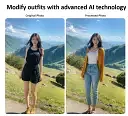
Best for those who want to modify outfits with AI, not for advanced designers.
AI-generated real estate brochures in minutes.
Suits content creators and music producers, not ideal for advanced videographers.
Curated AI image prompts, save and copy for GPT Image 2, Nano Banana & Midjourney.
Converts videos and text to 3D poses.
Create product mockups online with premium templates. Over a million professionals use it.
Create detailed 3D models from text or images.
Design your website's look and feel.
Create stunning room designs and exterior transformations in seconds with our free AI tools.
Leonardo.Ai App generates high-quality images and videos.
Kartiv generates stunning product photos and videos for your eCommerce store. It excels in visual content creation.
Strategic teams benefit; analysis paralysis sufferers should skip.
Limited to Shopify, lacks flexibility.
Take a photo and get instant redesigns, but limited styles and high-upsell.
Create visually appealing QR codes, but limited to free tier.
Three worth starting with
Terms to know
AI design tools cover graphic design, UI and UX design, 3D modelling and interior design. Canva and Leonardo AI create posters, social graphics, logos and illustrations, while Visily AI, V0 and Relume turn a prompt or sketch into wireframes, app screens and website layouts, and Webflow takes a design to a live site. Meshy AI and Cascadeur generate 3D models and animation, and Spacely AI restyles a photo of a room to preview furniture and colours. Before choosing, check if the tool gives you an editable file or only a flat image, whether generated assets are cleared for commercial use, and whether exports such as SVG, PNG or 3D files open in your other software.
It depends on the format the tool exports. Flat PNG or JPG output can only be retouched, while tools that keep layers, vectors or 3D meshes let you change text, colours and shapes later. If you expect revisions, check the export options before committing to a tool.
Template-based graphic design tools are the easiest starting point, because layouts, fonts and spacing are decided for you. UI/UX, 3D and interior tools assume more domain knowledge, so they pay off when you already know what you want to produce.
Ownership and licensing vary by tool and by country, and the position on purely AI-generated work is still unsettled in many places. Read the tool's terms on commercial use, avoid prompts that copy a named brand or artist, and keep records of your own edits.