Deep Swapper
AI Avatar Generator
4.5
/5
Toolio reviewer
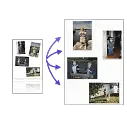
Deep Swapper lets you swap faces easily without signing up, but results can vary.
HONEST REVIEWS. REAL EXPERIENCE.
Find the tool, and find out what it is bad at
Every tool is opened and used by a Toolio reviewer, who scores it and writes the honest pros, cons and a clear verdict. No hype, no fluff.
Tick Compare on any two to four cards to put them side by side.
Deep Swapper lets you swap faces easily without signing up, but results can vary.
AI-generated Minecraft textures in seconds. Free mode limits quality and functionality.
Not suitable for serious image manipulation.
Decohere quickly generates AI characters and images, but limits daily free usage.
AI logo generator in seconds.
Improves image quality, but not for complex edits.
Create free AI art, limited to one image at a time.
Limited to templates, ContentoBot excels at creating unique content but falls short on customization.
AI generates forms instantly; describe what you need and AI does the rest.
No setup required, runs on fast GPUs.
Create high-quality coloring sheets for free with Colorify AI, then spark kids' creativity.
Generates content quickly, but text may require editing.
Transform photos into unique clay art.
Transforms images into text but excels only with visible texts and logos.
Replace faces in photos with AI.
Generate images, models quickly and easily.
Generate consistent images with VGL, but lacks natural language prompts.
Create a unique logo in minutes.
Blue Willow AI generates stunning images.
Turns a selfie into stylized art or a room photo into redesign ideas, powered by AI.
BeautyPlus is an AI photo editor, but it charges for advanced features.
Store files only for 7 days and limit uploads to 10MB per image. It's great for quick face swaps but lacks persistence.
BeFunky makes photo editing easy, but lacks advanced features.
Crops multiple images with one upload, but limited to 5 scans per day.
Arvin AI is a free ChatGPT Chrome extension.
Artimator AI generates images from text descriptions.
Artimator generates unique AI images from text, but limited styles are available.
Realistic face swaps, one click. Not for NSFW content.
Transform wedding dresses with AI.
Combine multiple AI models for better results.
Auto-organizes your files by meaning and answers questions with exact page references.
Airbrush AI generates stunning images quickly.
Lacks fine-tuning, limits to text-to-image.
Unified design lacks detail.
AI Magicx: One workspace for all AI models.
AIGPT Free is a free slot game directory.
For anyone who wants to generate AI art without a GPU, it falls short for professionals needing speed and volume.
Free online face swap with no login required.
Two free emojis a day, generated from your own color, shape and size choices.
Lets you tweak color, shape and expression to design a custom emoji from scratch.
Create stunning images in seconds, but with limited customization.
Transform one photo into multiple consistent characters across various poses and styles, but requires specific input for best results.
AI Comic Generator makes fun comics with AI.
Free AI chat tool for quick answers.
Convert photos to cartoons instantly.
AI Art Generator turns text prompts into stunning artworks instantly. Generates illustrations but can be slow on large batches.
It’s free, but limited to simple AI art generation.
Three worth starting with
Terms to know
AI image tools cover art and photo generation, logos, avatars, clothing concepts, image recognition and photo editing. DallE and Meta AI create images from a text prompt, Sologo AI and Icon Maker design logos and icons, and Deep Dream Generator focuses on stylised artwork. Pixlr, Fotor and Pixel Cut AI crop, retouch and remove backgrounds from photos you already have, and Freepik combines a stock library with generation. Designers, marketers and shop owners use them for product shots, campaign visuals and social posts. Before choosing, check commercial-use rights for generated images, the privacy terms for uploaded faces, and whether the resolution is high enough to print.
Art generators aim for illustration, painting and stylised looks, while photo generators try to produce images that resemble real camera shots. The same model can often do both, but each category tunes its styles and defaults differently, so start with the one that matches your end result.
Often, but not always. Each tool sets its own licence, and some limit commercial use to certain plans or exclude specific content types. Read the terms for the tool you pick, and avoid prompts that name living artists, brands or real people.
Image models learn visual patterns rather than spelling or anatomy, so small details like lettering, fingers and logos are where mistakes show up first. Regenerating, using an editor to fix a region, or adding the text yourself afterwards usually gives cleaner results.