


2 Slash AI
Writing Assistants
4.0
/5
Toolio reviewer
AI assistant everywhere, without prompts. Best for content creators.
HONEST REVIEWS. REAL EXPERIENCE.
Find the tool, and find out what it is bad at
Every tool is opened and used by a Toolio reviewer, who scores it and writes the honest pros, cons and a clear verdict. No hype, no fluff.
Tick Compare on any two to four cards to put them side by side.
AI assistant everywhere, without prompts. Best for content creators.
Writes articles and code snippets side by side, tuned to length and style you set.
It's not for simple text summarization tasks.
Automate content governance, but requires complex setup.
Suggests writing improvements as you type and lets teammates edit the same document live.
Drafts emails, summarizes articles and does quick research using GPT-4 or Claude, on any site.
Service unavailable in the EU due to regulatory restrictions.
KnowIt AI writes code, essays, and social media posts.
AI Command Chrome extension transforms text with AI, but lacks deep customization.
Flags ChatGPT-written text in real time, with adjustable sensitivity for different use cases.
Apollo lets you switch between multiple AI engines, but switching adds a slight delay.
Detects suspicious data leaks, but slow.
Detect AI in writing, enhance it for humans. Not great with false positives.
Create professional documents in minutes.
AI Humanizer transforms AI text into natural, human-sounding content.
Brings ChatGPT-powered answers to any website, with tone and depth you can adjust.
Ideal for quick essays, not in-depth research.
Adds tone controls and usage analytics on top of Microsoft Copilot and Bing AI.
AIPRM boosts ChatGPT productivity.
Automate data across 6,000+ apps with a visual database.
Turn AI text into human-sounding writing.
AI Writing Keyboard TypeGenius fixes grammar and typos in any app but requires a subscription for full features.
Drafts content quickly, but requires significant editing.
Get instant, accurate answers to your questions in real-time.
ArcaNotes stores and retrieves notes quickly, but lacks a free tier.
Drags raw ideas into structured notes using templates for meetings or brainstorms, built for teams editing together.
Type '/ai' anywhere to pull up GPT answers, tuned by your own theme and response-style settings.
Best for university students and marketing teams, not suitable for complex legal documents.
Chats about whatever page you're on and corrects your grammar in real time as you type.
Puts an AI writing assistant and a library of prompts right inside your browser.
Flags likely AI-generated text with a detailed report, and lets you tune detection sensitivity.
Adds ChatGPT to the browser with voice input and sentiment analysis for more responsive replies.
Suggests AI-written text in any online text field, from emails to social media posts.
Loads ChatGPT in the browser and tailors advice to whatever website you're currently viewing.
Store and organize notes online.
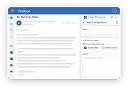
Run ChatGPT directly in Outlook. Compose emails with AI assistance.
Convert and format AI-generated text easily.
AI writing and translating side-by-side.
Answers, writes and explains code from any page with a keyboard shortcut, storing chats locally.
Right-click any selected text to generate, paraphrase, proofread or answer questions with ChatGPT in two clicks.
Checks grammar and style in real time and tracks writing progress over time.
Autocompletes ChatGPT prompts in real time and lets you save your favorite templates.
Great for quick writing fixes, not big projects.
Brings Microsoft Copilot's sidebar assistant to Chrome for drafting, research and summaries.
CorgiAI allows you to use AI directly from within the page you're browsing, saving you time by analyzing and rewriting text.
Craft professional cover letters in minutes using AI power. Perfect for job seekers.
CoWriter AI boosts your writing speed, but keeps your voice. It suits serious academic and professional writers.
Capture ideas instantly, refine them later.
Three worth starting with
Terms to know
Writing assistants improve text you are writing by fixing grammar, adjusting tone, rephrasing and answering questions in a sidebar. QuillBot and Gemini are examples, along with chat extensions that work inside email and documents. Students, professionals and non-native writers use them. Decide how much control you want, since some edit lightly and others rewrite whole paragraphs.
Write your own draft first, then use the tool to catch errors, tighten sentences and test other phrasings. Accept changes one at a time. Letting it rewrite everything tends to flatten your voice and can alter your meaning.
Many process your text on their servers, and some keep it or use it to improve their models. Check the privacy policy and settings before pasting confidential material, and use a business plan with data controls if you handle client work.
A writing assistant covers grammar, clarity and tone across your drafting. A rewriter specifically rephrases existing text, often to change style or avoid repetition. Many products do both, but the first is broader and the second more targeted.