HeyGen
AI Avatar Generator
4.6
/5
Toolio reviewer
HeyGen creates realistic AI videos of yourself in minutes.
HONEST REVIEWS. REAL EXPERIENCE.
Find the tool, and find out what it is bad at
Every tool is opened and used by a Toolio reviewer, who scores it and writes the honest pros, cons and a clear verdict. No hype, no fluff.
Tick Compare on any two to four cards to put them side by side.
HeyGen creates realistic AI videos of yourself in minutes.
Turn your selfies into professional headshots in minutes.
Hasty AI is an AI-powered tool for accelerating image annotation, but it falls short on advanced human-in-the-loop workflows.
Erase objects quickly, brush over and click.
Suits social media users and content creators, not complex editors.
Gulf Picasso generates professional videos and images using AI.
Transform old clothes into new fashion. Green Suggest helps you upcycle items.
Green Eyes AI detects new and untrained images for enhanced security.
Create, customize AI influencers.
Generates AI images from a text prompt, free and unlimited, without an account.
It suits researchers and video enthusiasts but not casual users.
AI-generated images, avatars, and photo variations.
Gangr AI identifies suspicious image resources.
Generate images quickly but lacks advanced controls.
Upload two parent images and generate a child image in seconds.
Furry Ai Art uses AI to create unique digital art, especially furry characters and illustrations. But it can be limited in more complex artistic designs.
Combines a massive stock graphics library with AI art generation and sketch-to-image tools.
Generate custom wallpapers easily.
Free online photo editing with AI.
Generates high-quality images directly from your imagination.
Free text-to-image and image edits, but limited features.
AI generates high-quality e-commerce images.
Fix blurry photos for free, but only with some AI magic.
Describe changes, AI does rest in seconds.
Create simple and recognizable favicons quickly.
AI clothing remover, easy swap styles.
Generates images based on text prompts, but struggles with consistent success.
Delight your children with personalized bedtime stories in 18 languages. Fantasaur creates unique stories with pictures.
Limited to one photo, measures seven facial pairs.
Swap faces in photos and videos easily.
Free, unlimited face swapping for photos, videos and GIFs with no account needed.
Face Swap tool for photos, videos and GIFs.
Swaps faces in photos and short video clips, with templates ready to try.
It suits Tet Latvia's needs but may not be ideal for complex image tasks.
Accurate in-store image recognition saves time and improves accuracy during audits.
Upload one photo, get three measurements.
Upload a photo, see future you.
Find the strongest shots fast and spend less time sorting.
Opens AI image analysis, but uses an insecure site.
250+ AI models in one place, make something impossible.
Automate your blog writing and SEO optimization with Emplibot. It falls short on customization options.
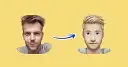
Emojifyer turns anything into emoji. Easy and fun.
Limited to free-tier features without a subscription.
A quick verification for access.
Create images, videos, and audio with just a prompt.
AI-driven image and video creation tools.
Generates viral Chinese social captions, titles and matching copyright-free images from one prompt.
Organizes your wardrobe by photo, then suggests outfits based on weather, occasion and color.
Three worth starting with
Terms to know
AI image tools cover art and photo generation, logos, avatars, clothing concepts, image recognition and photo editing. DallE and Meta AI create images from a text prompt, Sologo AI and Icon Maker design logos and icons, and Deep Dream Generator focuses on stylised artwork. Pixlr, Fotor and Pixel Cut AI crop, retouch and remove backgrounds from photos you already have, and Freepik combines a stock library with generation. Designers, marketers and shop owners use them for product shots, campaign visuals and social posts. Before choosing, check commercial-use rights for generated images, the privacy terms for uploaded faces, and whether the resolution is high enough to print.
Art generators aim for illustration, painting and stylised looks, while photo generators try to produce images that resemble real camera shots. The same model can often do both, but each category tunes its styles and defaults differently, so start with the one that matches your end result.
Often, but not always. Each tool sets its own licence, and some limit commercial use to certain plans or exclude specific content types. Read the terms for the tool you pick, and avoid prompts that name living artists, brands or real people.
Image models learn visual patterns rather than spelling or anatomy, so small details like lettering, fingers and logos are where mistakes show up first. Regenerating, using an editor to fix a region, or adding the text yourself afterwards usually gives cleaner results.











-20(1).webp)